AI-Powered CDE

for the Entire Project Lifecycle

Where all your data becomes your single source of truth.
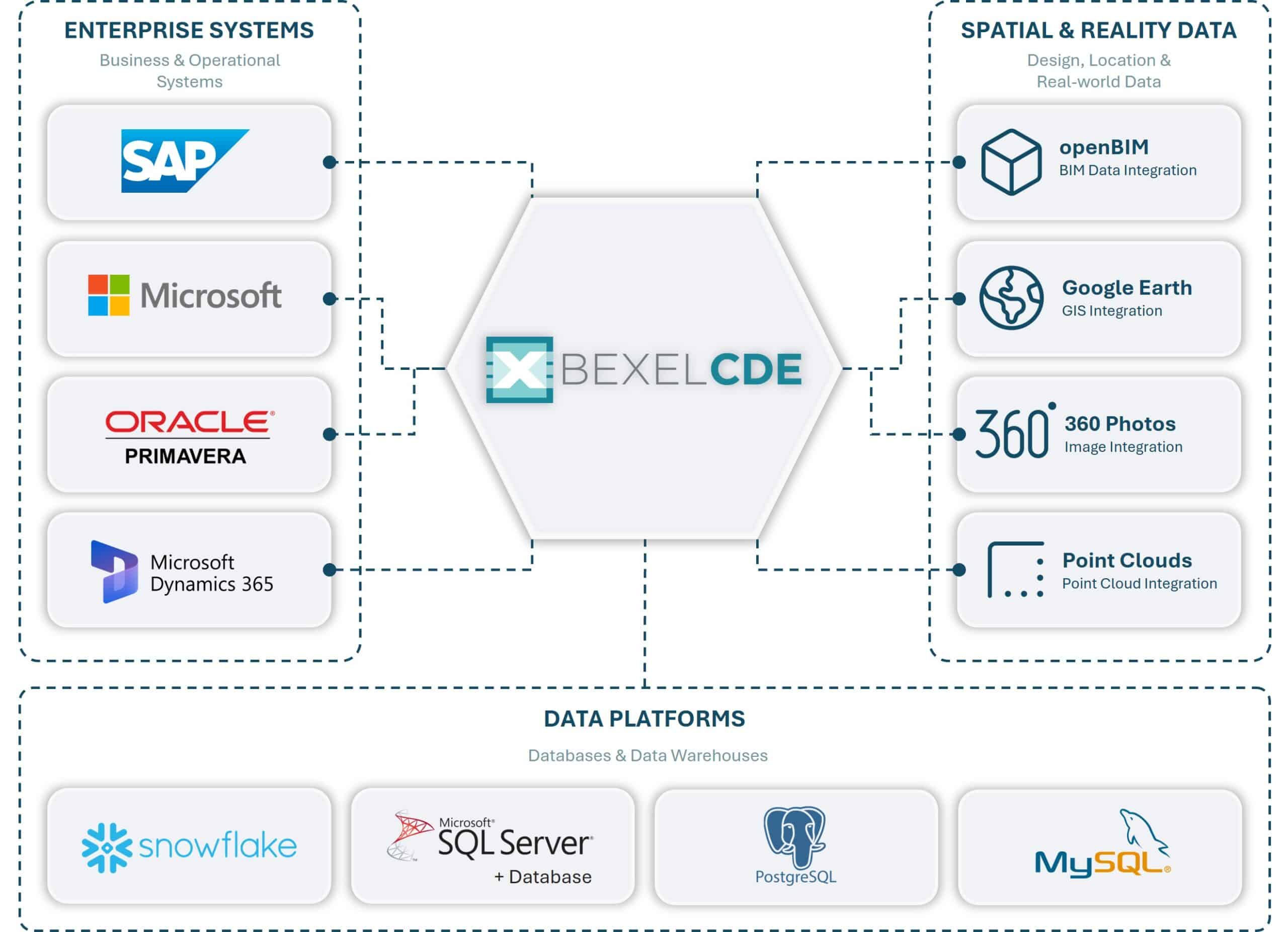
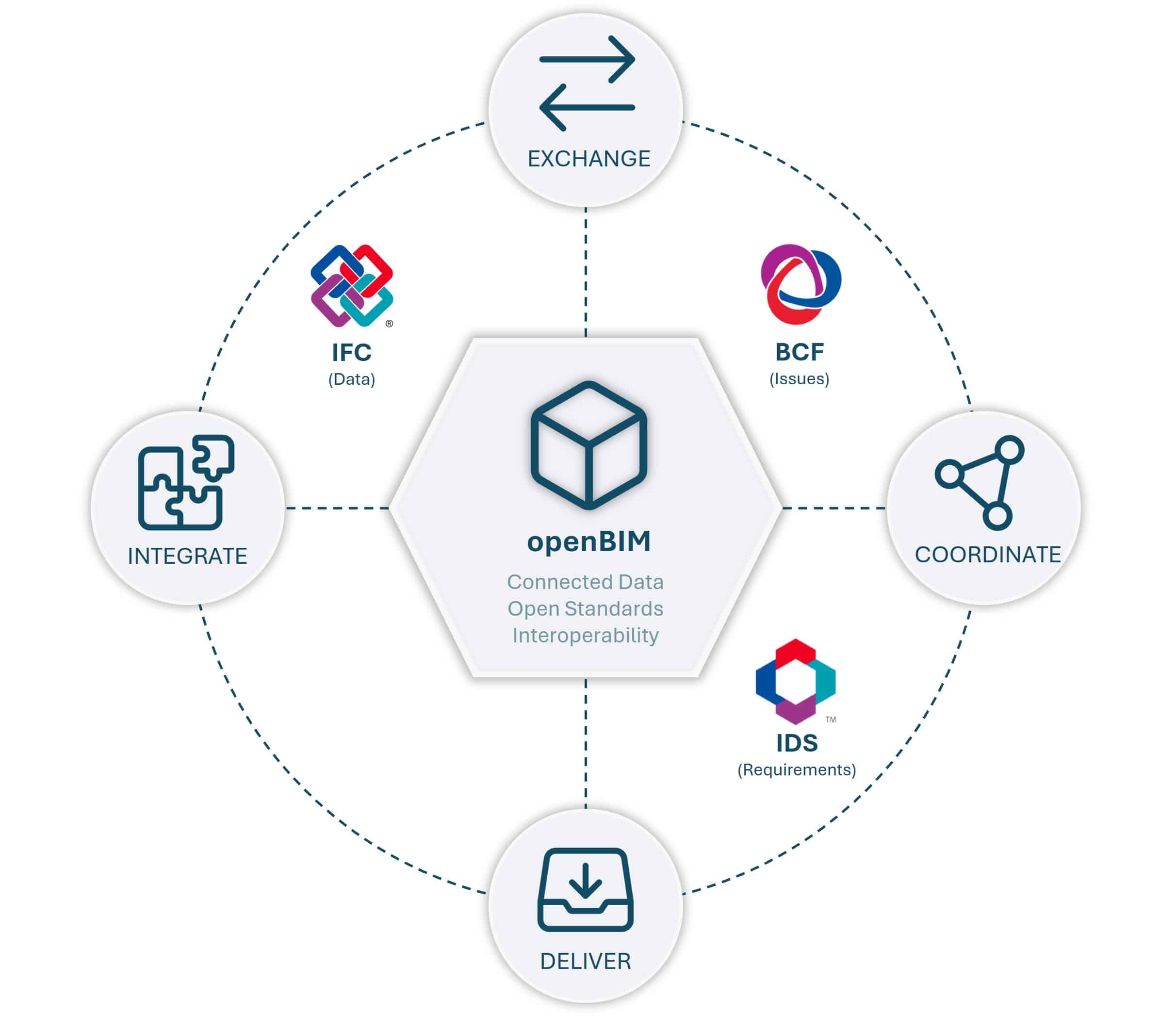
OPENBIM INTEGRATION
Work Better Together with Open Standards

openBIM integration enables seamless data exchange between different software platforms using open standards, ensuring interoperability across project stakeholders. This approach improves collaboration, reduces data fragmentation, and enhances consistency and transparency from design to completion.

360° PHOTO INTEGRATION
Capture and Explore Every Detail in 360°

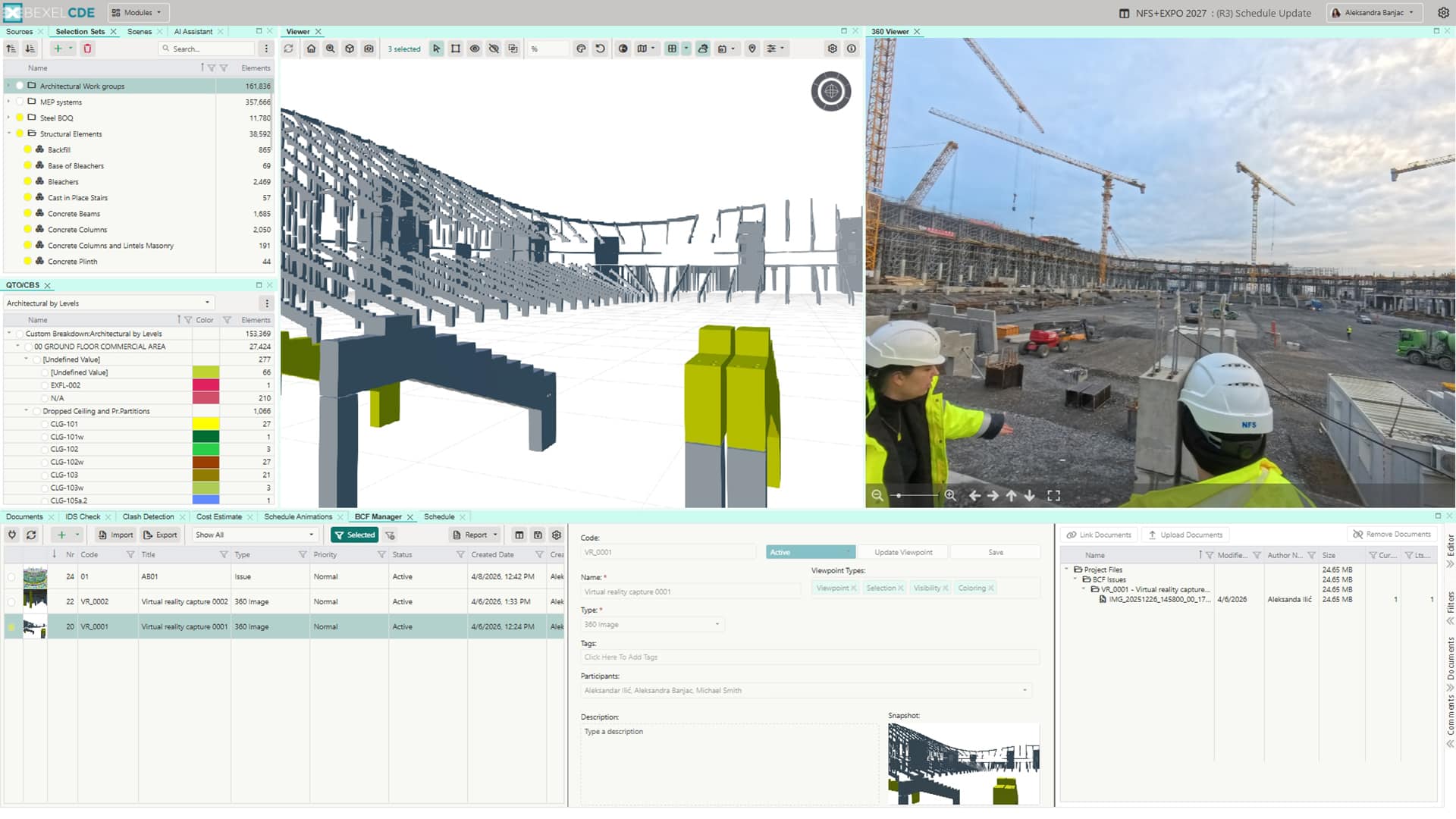
360° photo integration allows users to explore project sites and see real conditions in an immersive way. By capturing and comparing 360° photos over time - across weeks and different construction stages - teams can track progress, spot issues earlier, and build a useful visual record of the project. This improves communication, supports better issue tracking, and creates a valuable database for future reference.​

GOOGLE EARTH & GIS INTEGRATION
Bring Your Project into the Real World

Integration with Google Earth and GIS enhances project visualization and provides real-world geographic context, enabling better spatial analysis, improved coordination, and more informed decision-making throughout the project lifecycle.

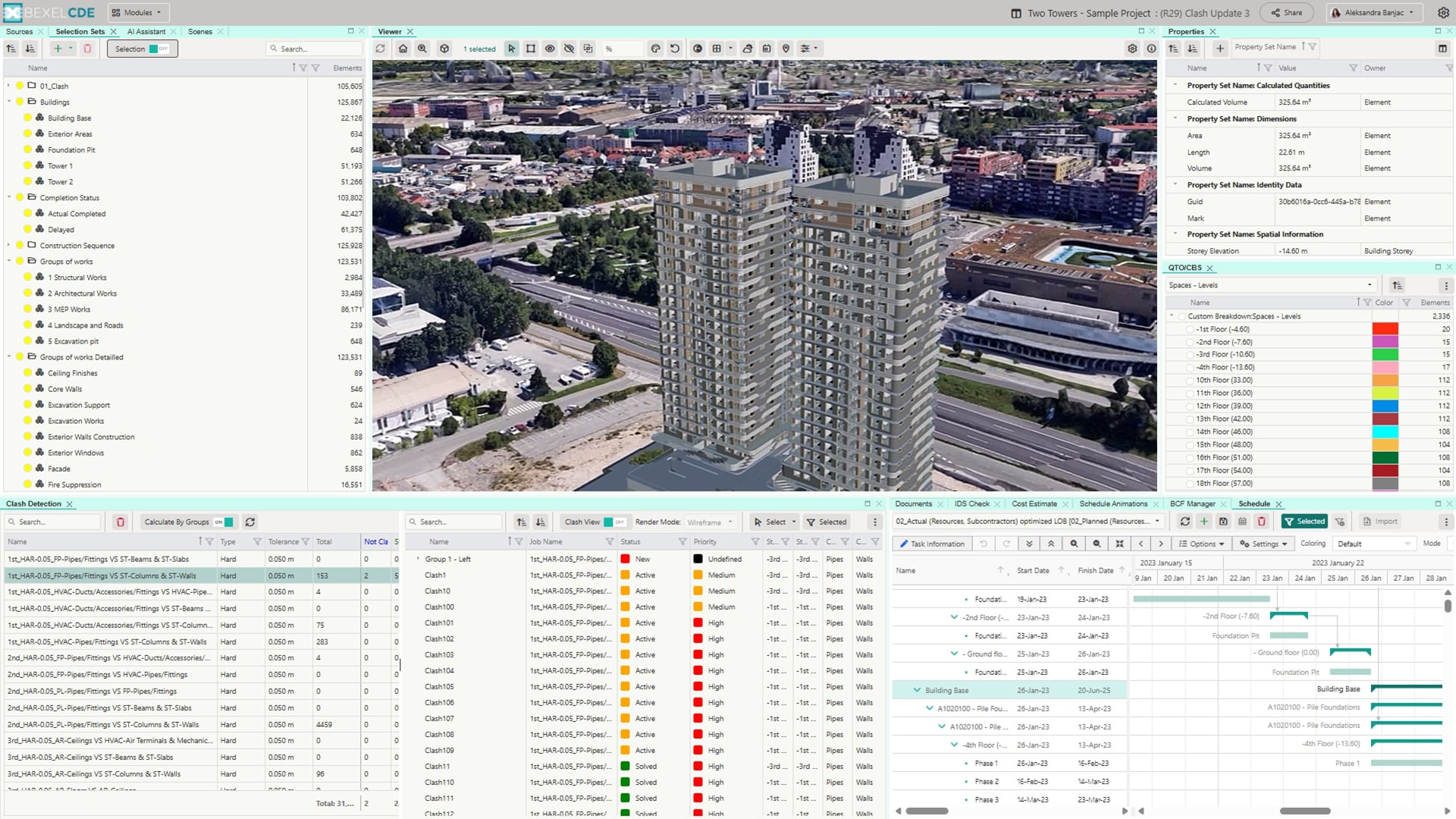
Visualization of project location in a real environment

Improved stakeholder communication through intuitive 3D views

Better understanding of terrain, surroundings, and site conditions

Perform spatial analysis and planning

Improve decision-making by leveraging location-based data

Align construction projects with infrastructure, utilities, and land data

POINT CLOUD INTEGRATION
Turn Reality into Accurate Digital Models

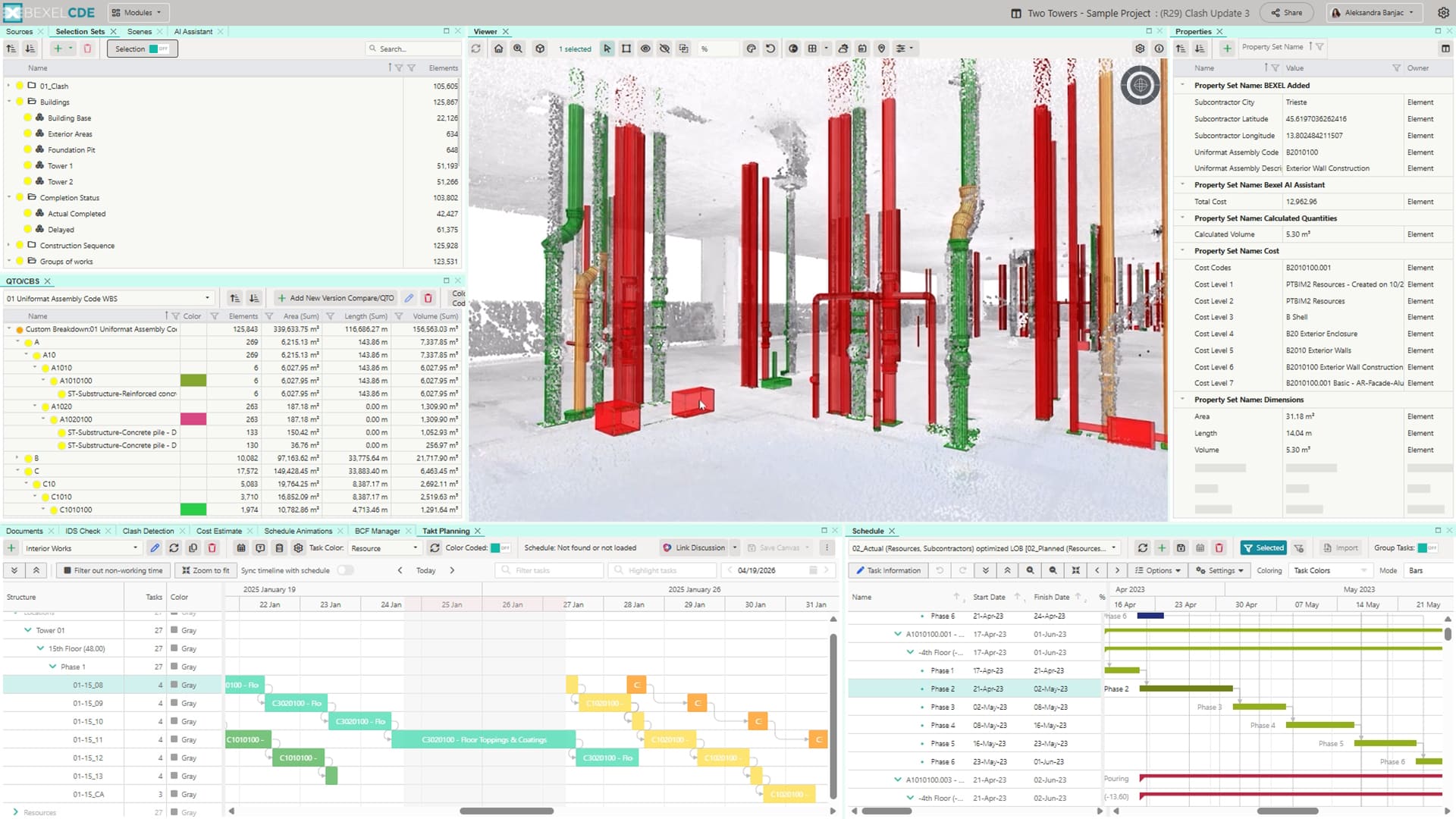
Point cloud integration enables advanced analysis of as-built conditions by leveraging AI/ML technologies to compare scanned data with planned models, allowing accurate progress tracking, early error detection, and data-driven decision-making throughout the project lifecycle.

AI/ML-powered system analyzes Point Cloud data to predict tasks and efficiently recognize completed work

Track and validate on-site progress against the planned schedule for real-time updates and adjustments

Provide stakeholders with accurate, visualized data and generate detailed progress reports

Catch errors early to reduce costly rework and minimize delays

Dual view enables comparison of planned vs. completed work for clear insight into delays

Integration of Point Cloud data supports Digital Twin creation, enhancing safety and quality on site

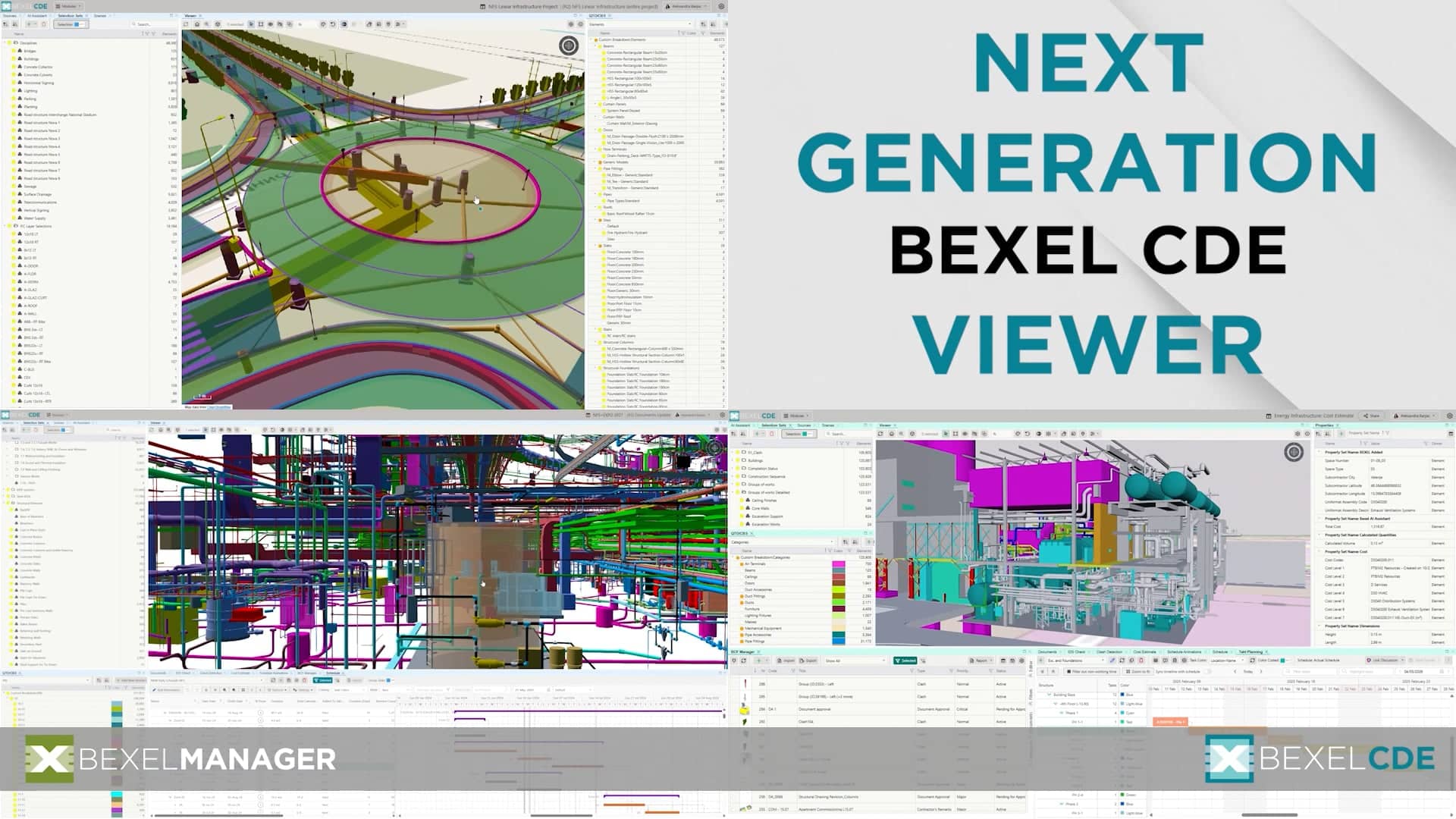
NEXT GENERATION BIM VIEWER
Fast & Accurate Model Review

Initial BIM Model Review enables users to visualize, review, and interact with 3D models, ensuring better understanding and validation of project data.

Review the BIM model using 3D, 2D, orthographic, perspective views, or first-person navigation mode

Select and isolate BIM model elements directly in the viewer

Create detailed sections of the model

Measure angles and distances with smart snapping

Create and save snapshots

Add annotations to highlight specific elements in the model

Image

Customizable navigation, ambient lighting and occlusion, camera options and display settings

Change color and opacity of BIM model elements to specific requirements

SCENES
Organize and Share Project Views

Flexible model visualization through customized views tailored to specific project needs.

Saved color coding, viewpoint, model slicing and element selection

Saved scene metadata (last modification date and user)

One-click scene update

Flexible scenes folder structure

Define a default project scene

PROPERTIES
Manage and Analyze Model Properties

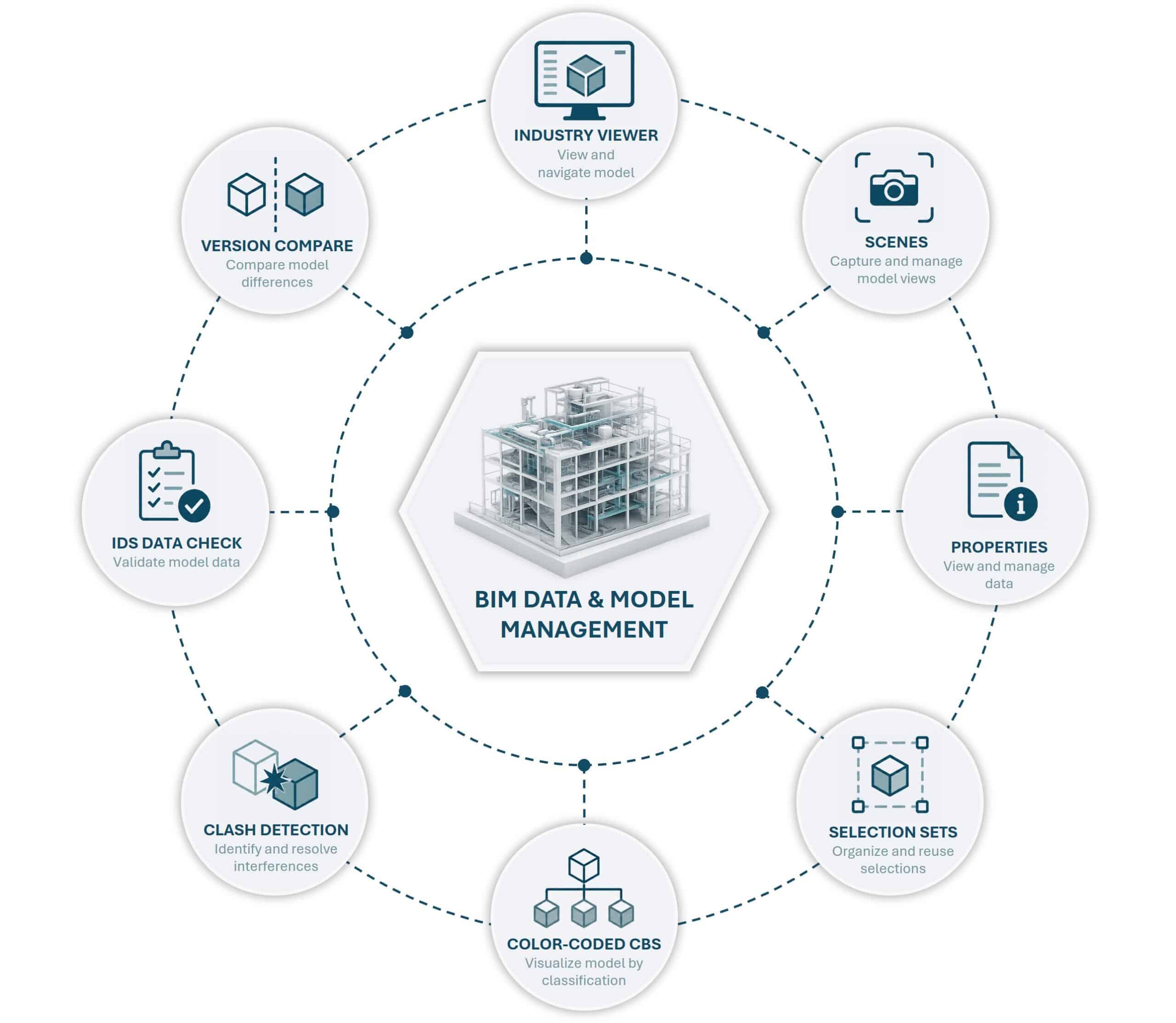
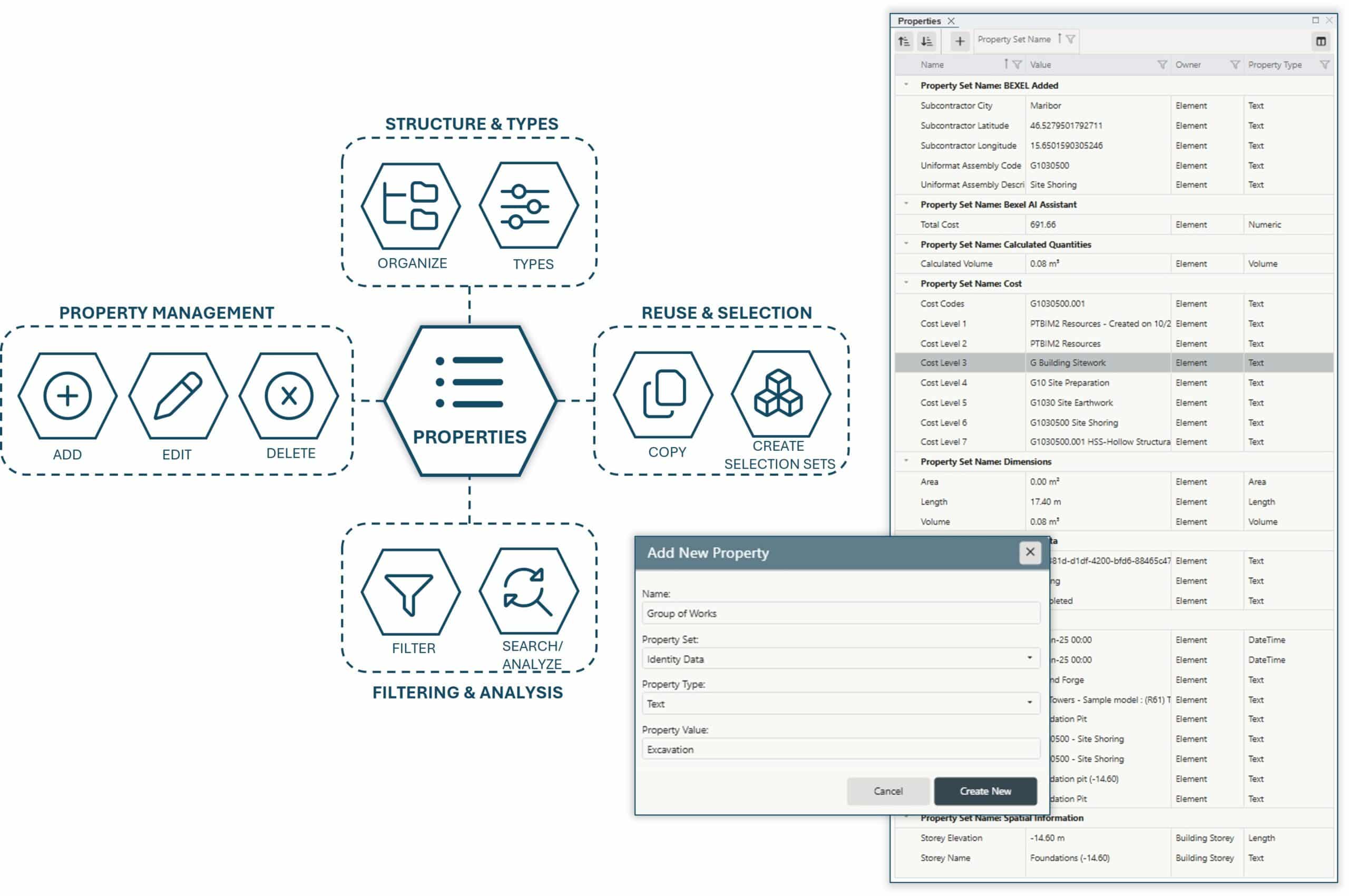
Easily manage and organize BIM model element properties, ensuring clear, consistent, and reliable project data.

Bidirectional property-based filtering and selection for faster analysis

Comprehensive property review for clear visibility and accurate project insights

Add or edit custom properties directly in CDE for tailoring element information to project needs

Full review of all property values to maintain accuracy and consistency

Properties fully integrated with Bl Analytics, CBS/Quantity Takeoffs, and Takt Planning for seamless, data-driven workflows

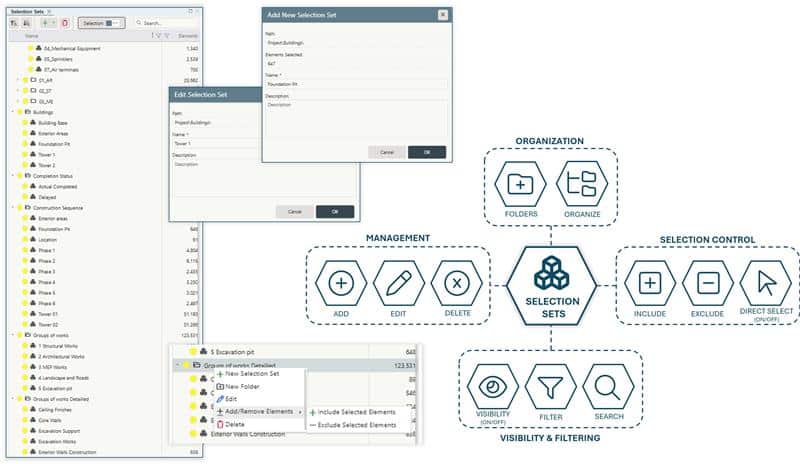
SELECTION SETS
Smart Model Organization

Organize BIM model elements in a structured and efficient way, improving navigation, filtering, and overall model clarity.

Easy selection set generation and management

Flexible selection set folder structure

Selection sets for organizing data issues, project zones, cost items, subcontractors, look-ahead planning, and progress tracking

Element visibility indicators, one-click show/hide elements

Seamless exchange of selection sets between BEXEL CDE and BEXEL Manager for consistent project data across platforms

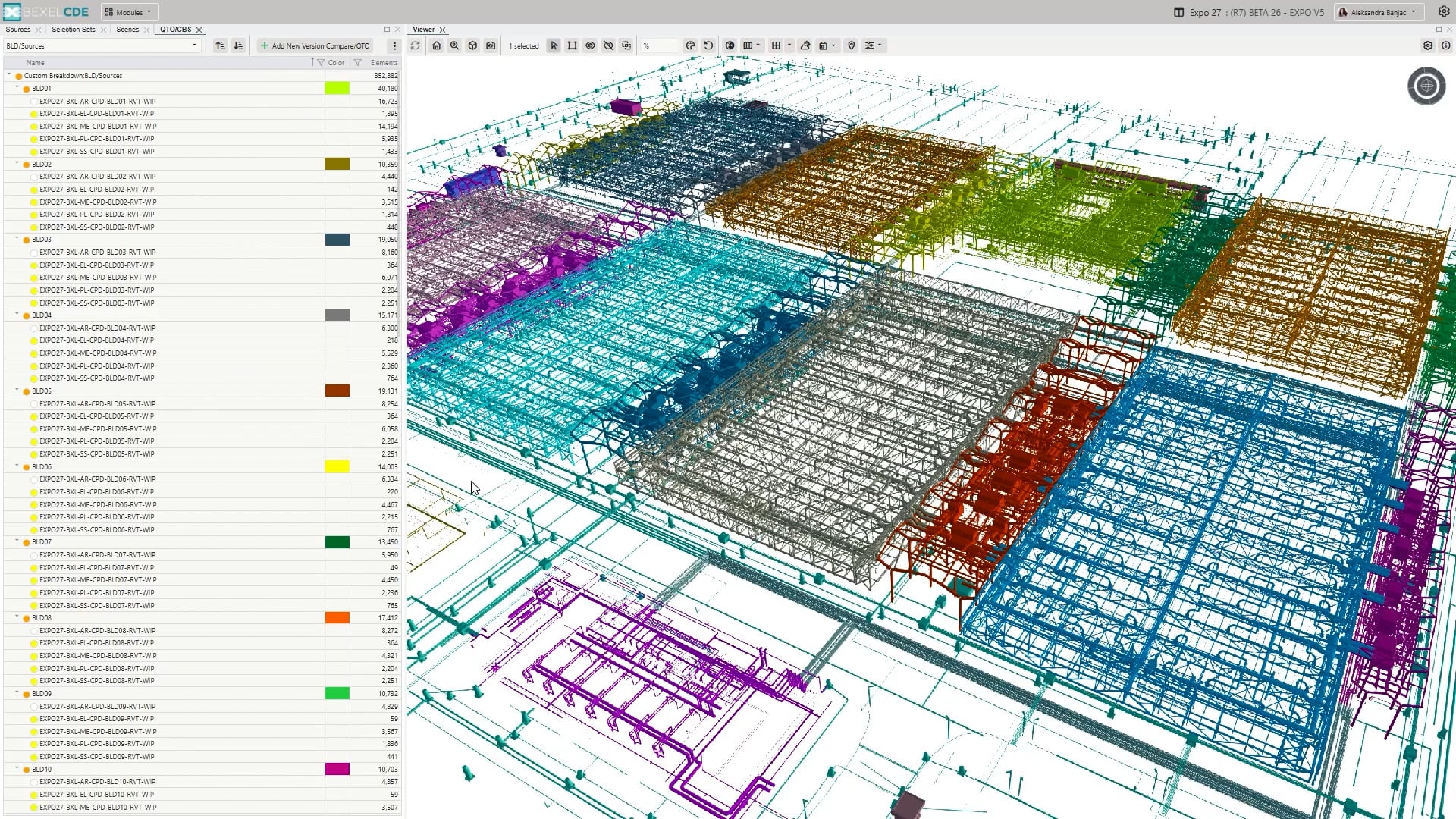
COLOR-CODED CBS AND QUANTITY TAKEOFF
Color-Coded Quantity Insights

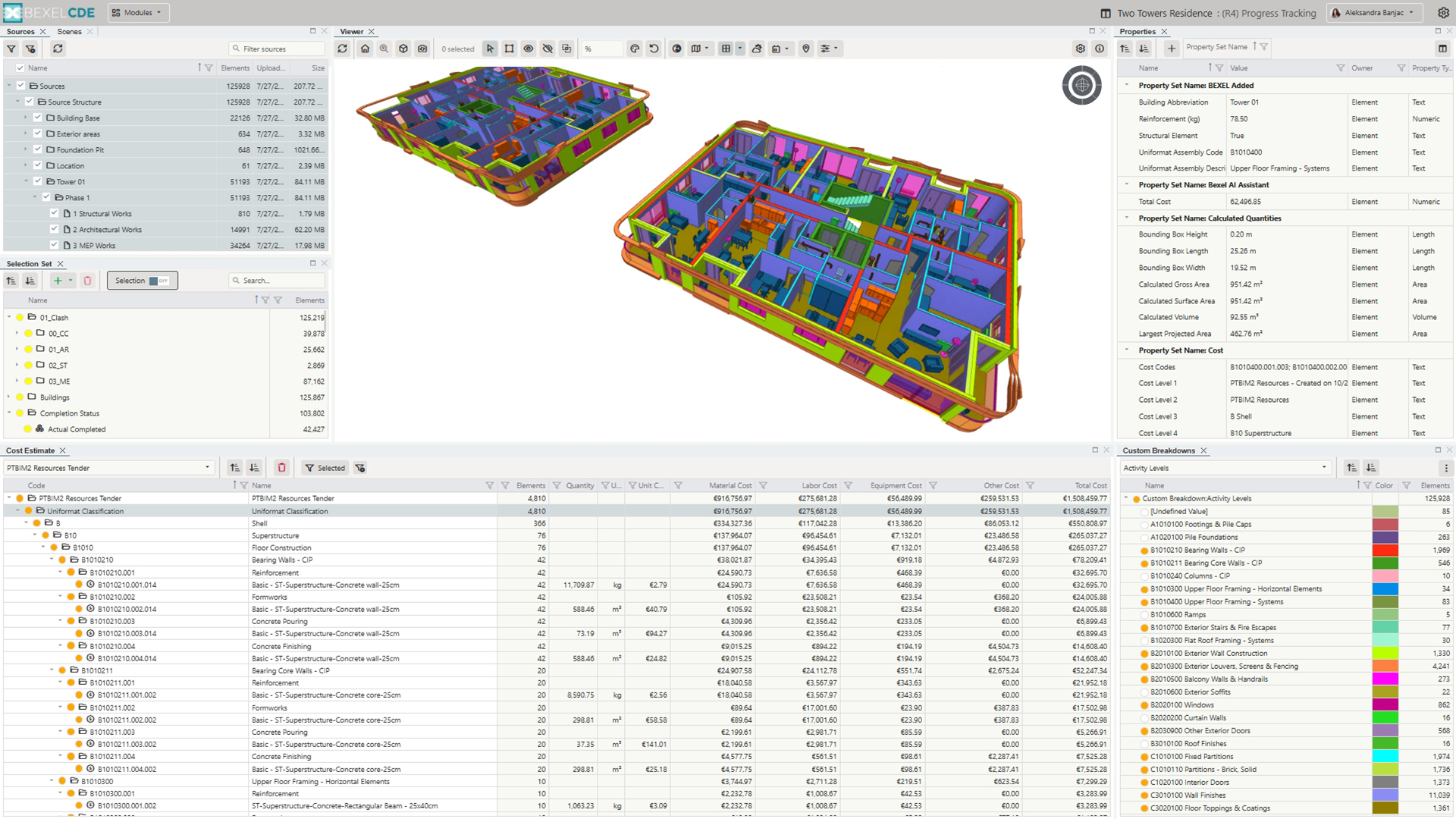
Visualize, calculate, and analyze BIM elements with color-coded CBS and quantity takeoff for clear and efficient project insights.

Image

Create custom QTO/CBS directly on BEXEL CDE

Customize groupings based on any available attributes

Calculate quantities for element groups directly from 3D model geometry

Visualize, manage, and analyze BIM elements color-coded by various criteria

Use CDE-defined properties to support analysis

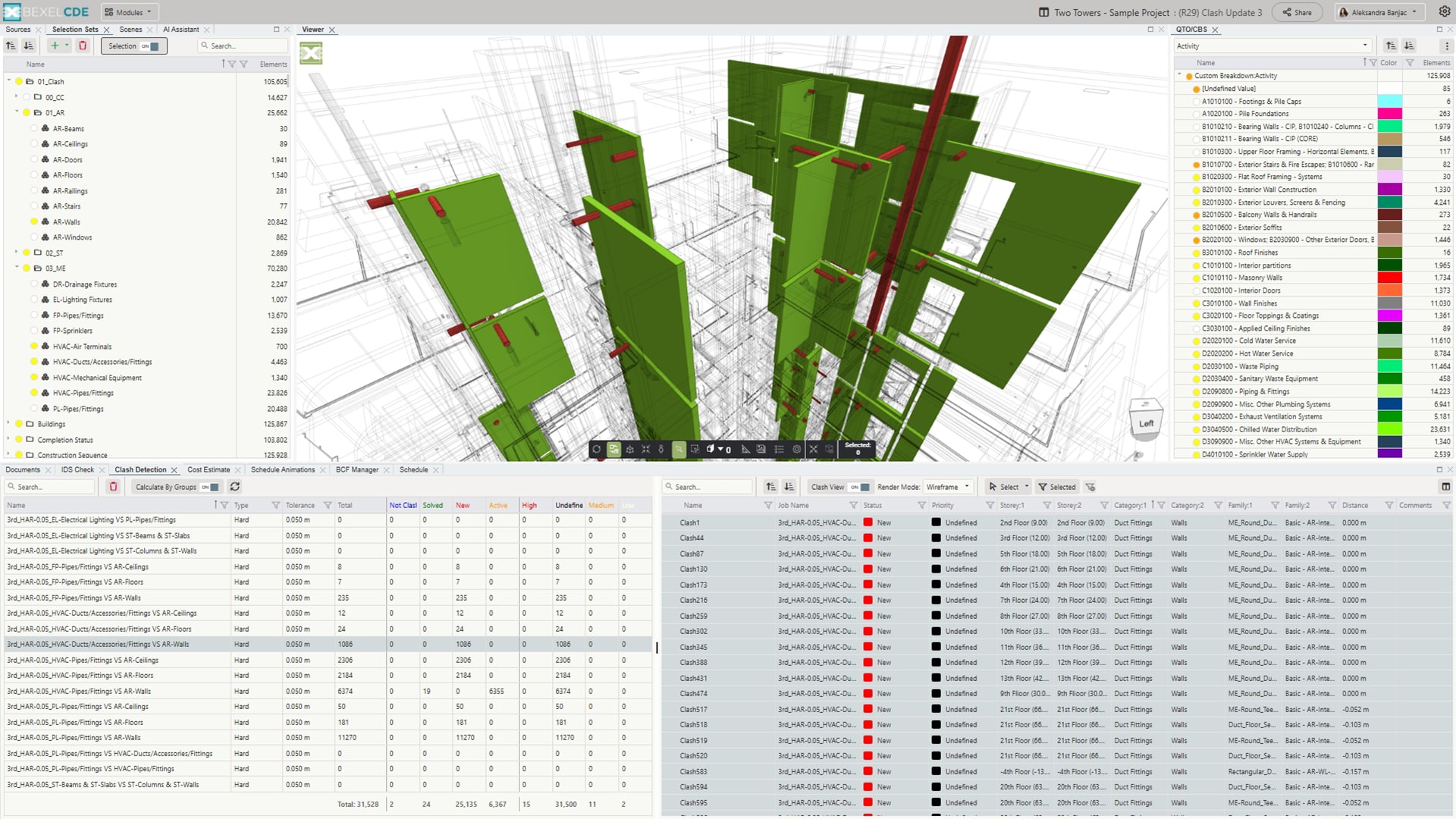
CLASH DETECTION
Prevent Issues Before They Happen

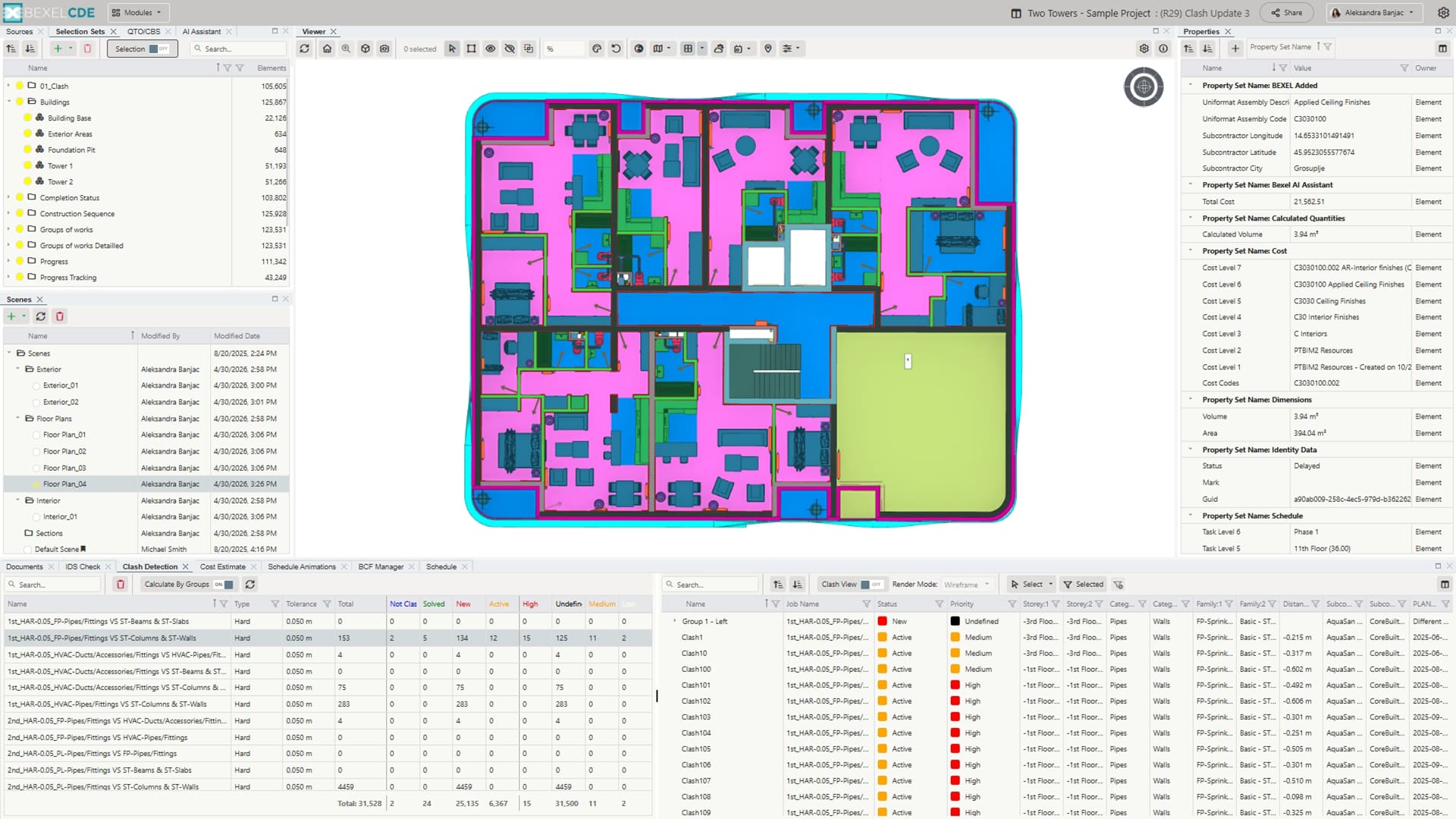
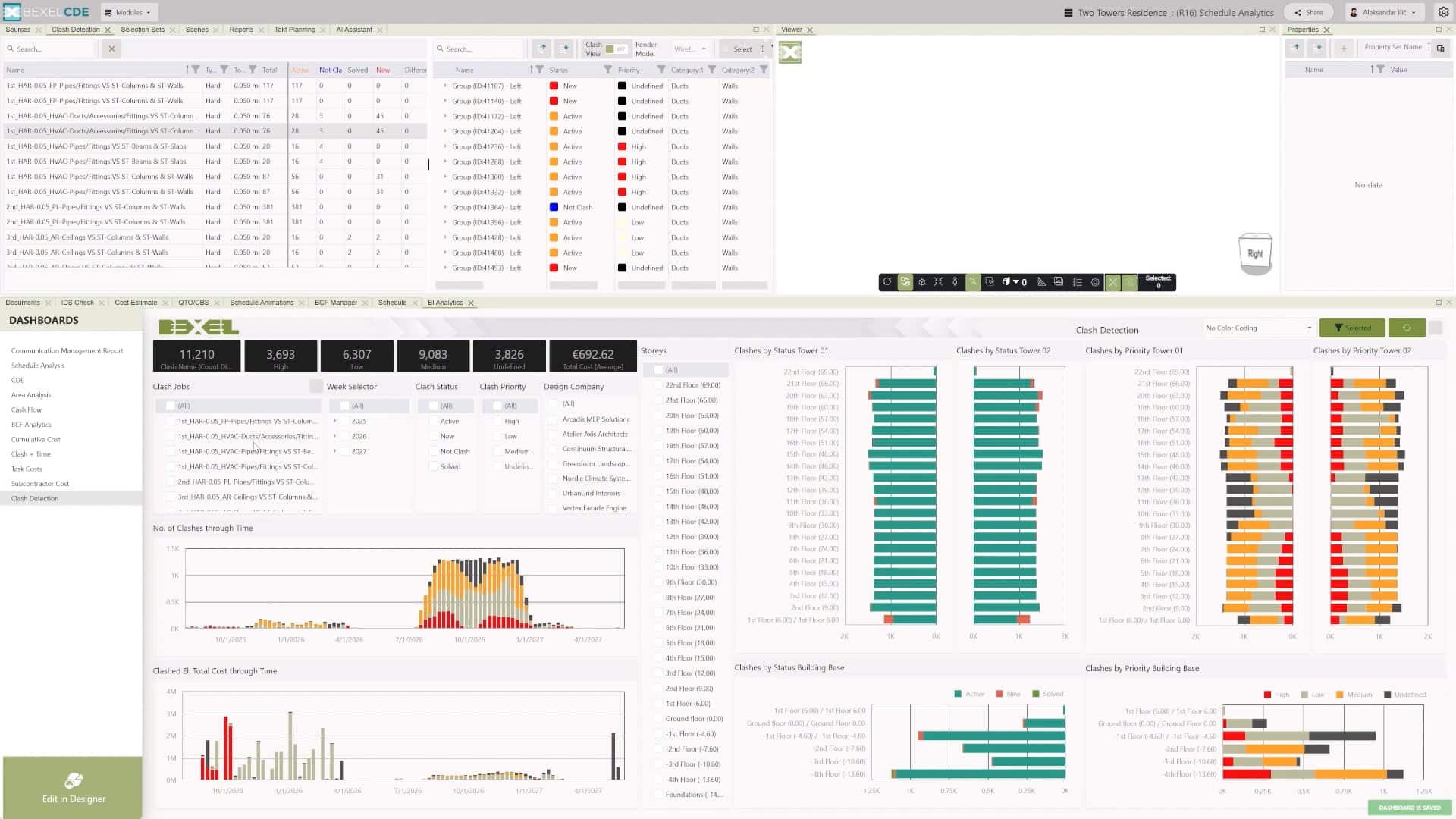
Identify, manage, and resolve conflicts between different disciplines to ensure coordinated and clash-free designs. Clear insight into detected issues supports efficient collaboration and helps reduce errors throughout the project.

Identify, review, and resolve clashes to ensure design integrity

Track clash progress by updating their status as they are addressed or resolved

Assign and modify clash severity to prioritize resolution based on impact

Facilitate seamless clash classification, coordination, and communication among all project participants through powerful issue management for timely resolution

Automatically group clashes to prioritize and resolve issues

Filter and analyze clashes by model properties

Automatically create single or multiple BCFs from clashes using predefined issue templates

Real-time overview of clash status and severity

Track clash resolution statistics by groups or clash pairs

Generate detailed reports to document clash status, severity, and resolution steps

Interactive Bl analytics across multiple data domains (e.g., Clash-Time analysis, Clash-Cost analysis ... )

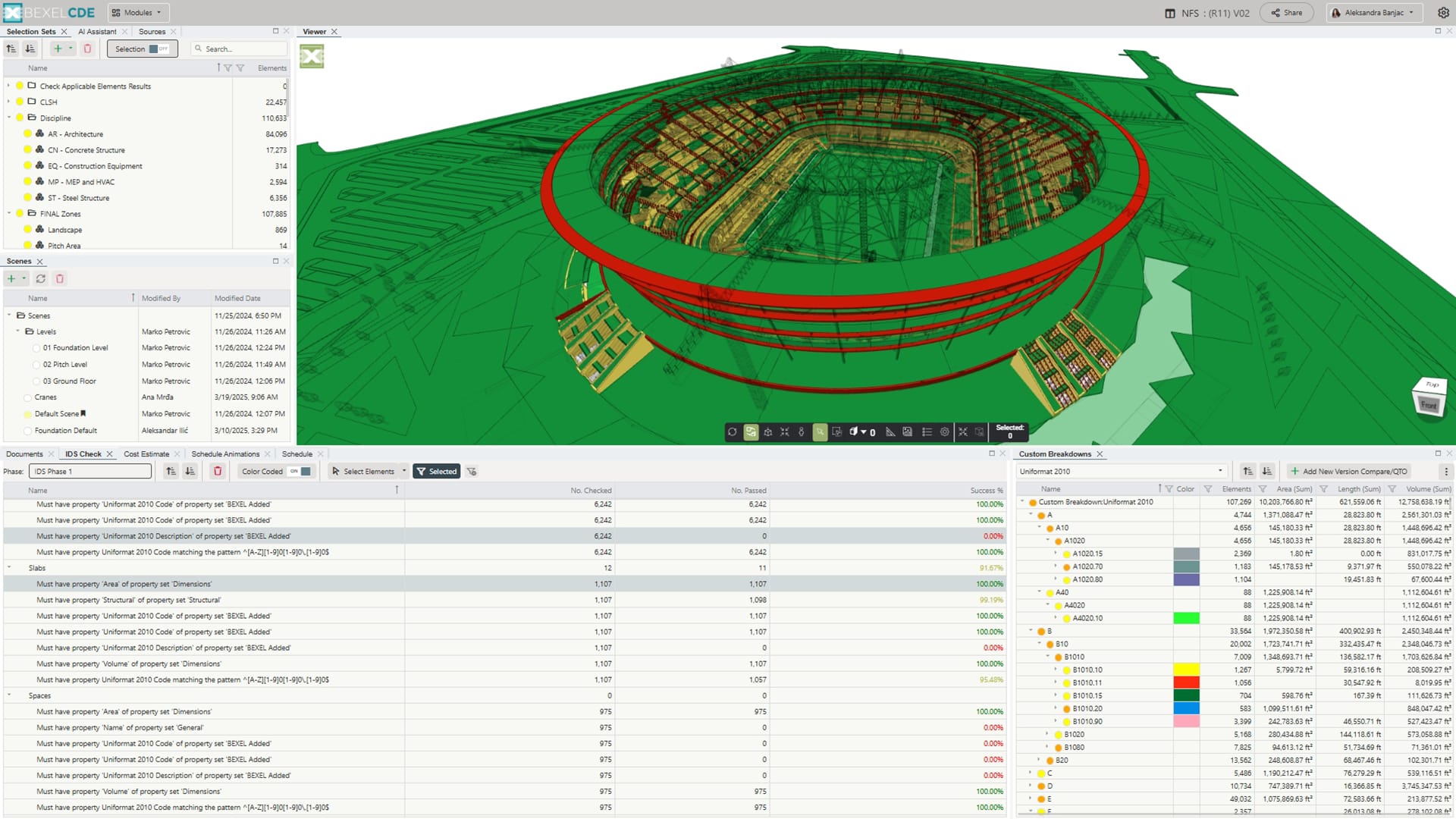
DATA VERIFICATION
Make Decisions with Verified Data

Ensure data quality by identifying deficiencies and validating model readiness for further analysis, enabling accurate and reliable project insights.

Data verification review panel for clear and structured validation

Color-coded data check visualizations that instantly highlight issues

Checks include required properties, property sets, value types, and value conditions or exact picklist values

Seamless selection of Passed, Not Passed, and Partially Passed elements

Flexible element filtering to focus on priority elements

Generate selection sets and BCFs to support effective coordination

VERSION COMPARE
Full Control Over Model Changes

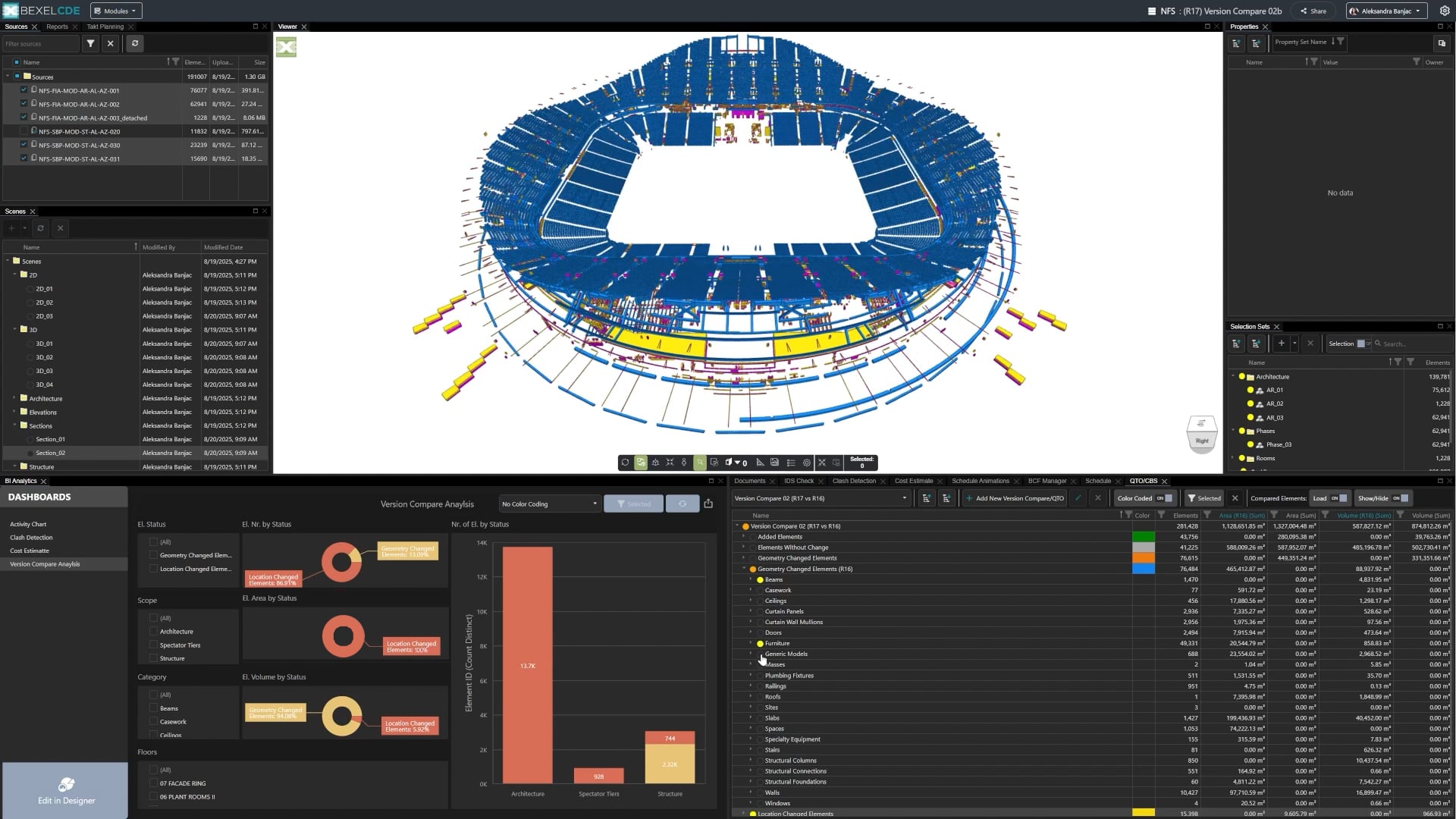
Compare model versions and track changes with full control over project updates

Automatically compare all BIM models within your project in full compliance with openBIM standards

Group comparison results entirely according to your own customized rules and requirements

Image

Include and compare any element properties (Volume, Area, Total Cost, etc.) between two project versions

Present and analyze comparison results with flexible dashboards and the model viewer

Project Planning & Control

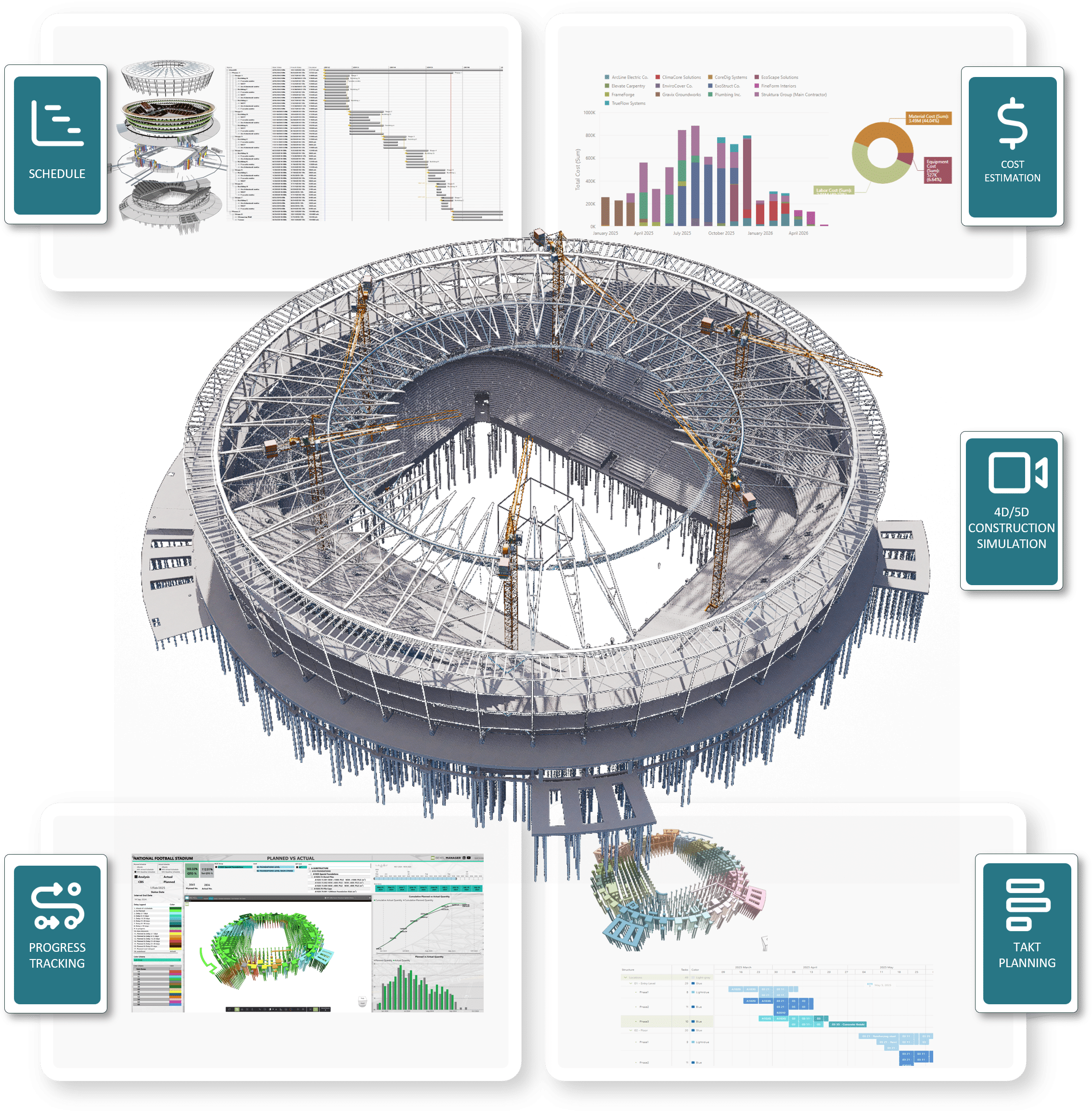
Take full control of your project by bringing planning, coordination, and cost management into one platform. Create schedules, optimize workflows, and simulate construction using 4D/5D BIM. Detect clashes early, track costs in real time, and keep all teams aligned. With clear visibility, you can reduce risks, improve efficiency, and deliver projects more accurately.

Image link
COST ESTIMATION
Take Control of Project Costs

Enable accurate cost estimation and budget analysis through a cloud-based, BIM-driven approach, providing interactive insights and better financial control across the project.

Multiple cost estimation structure analyses

Bidirectional flexible filtering and selecting cost items and BIM elements: per month, workgroup, subcontractors, Takt Planning tasks, clashes, issues

Cost analyses - unit prices, material, labor, equipment price breakdown

Baseline and total cost analysis including markups, taxes, overhead

Custom cost properties

Cost structure color-coding

Flexible cost structure grouping

Customizable cost table layout

SCHEDULE
Smart Construction Scheduling

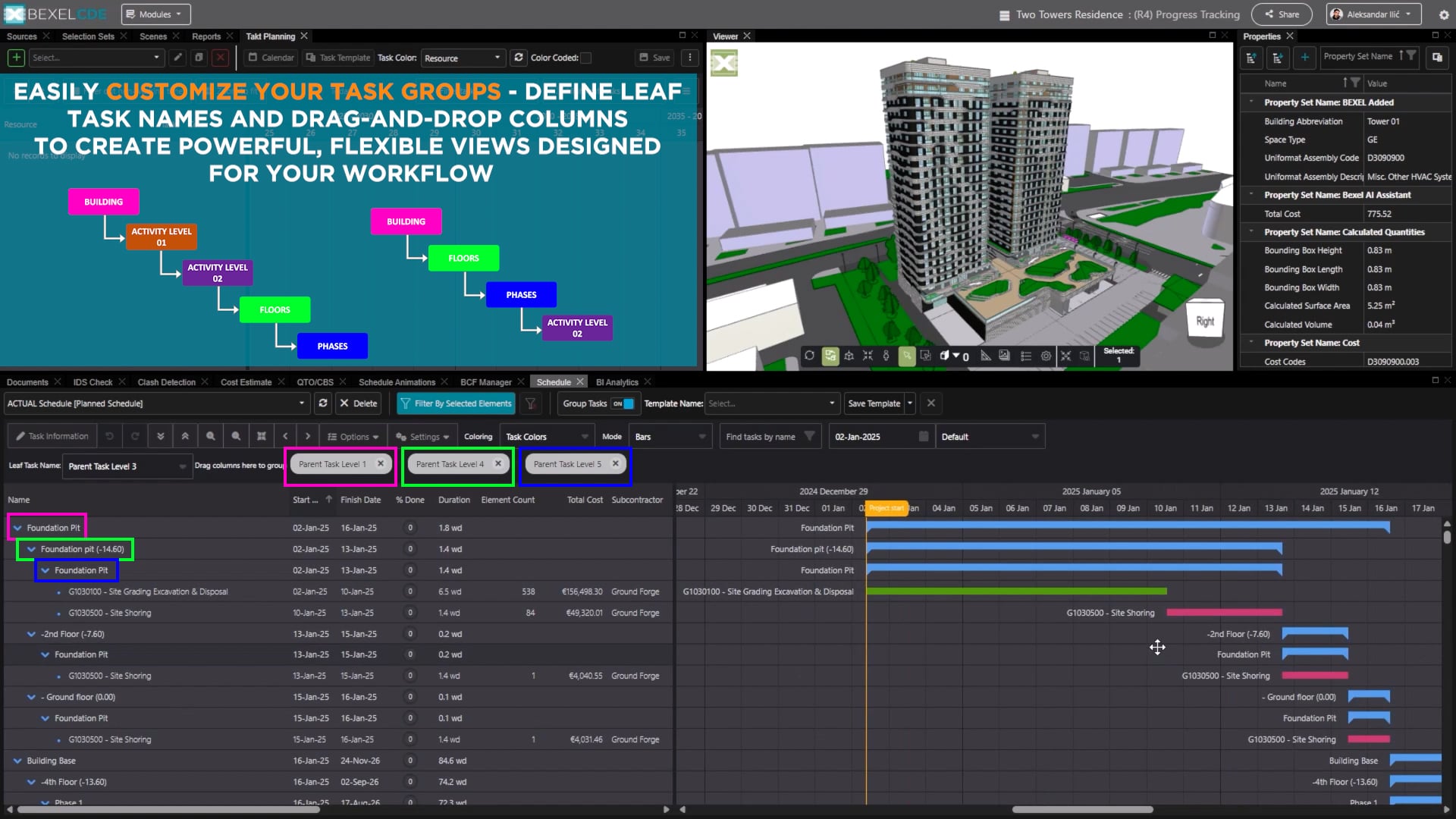
Plan and manage construction timelines in a single environment, with clear visualization and control over all project activities. Improved visibility into scheduling supports better coordination, timely decision-making, and efficient project execution.

Image

Plan, monitor, and control all project activities with a powerful, model-connected scheduling environment

Filter tasks by selected elements or specific column values

Group tasks flexibly and save custom grouping templates

Visualize baselines, progress lines, task labels, and task relations

Color tasks by critical path or task name

Bi-directional filtering of Schedule Tasks and model elements

Integration of Schedule, Cost, Clash Detection, Documentation, Takt Planning, and Model Coordination communication

Manage Tasks in Takt Planning module for detailed tactical planning and progress updates

Directly create and manage schedule tasks in BEXEL CDE

TAKT PLANNING
Optimize Construction Flow

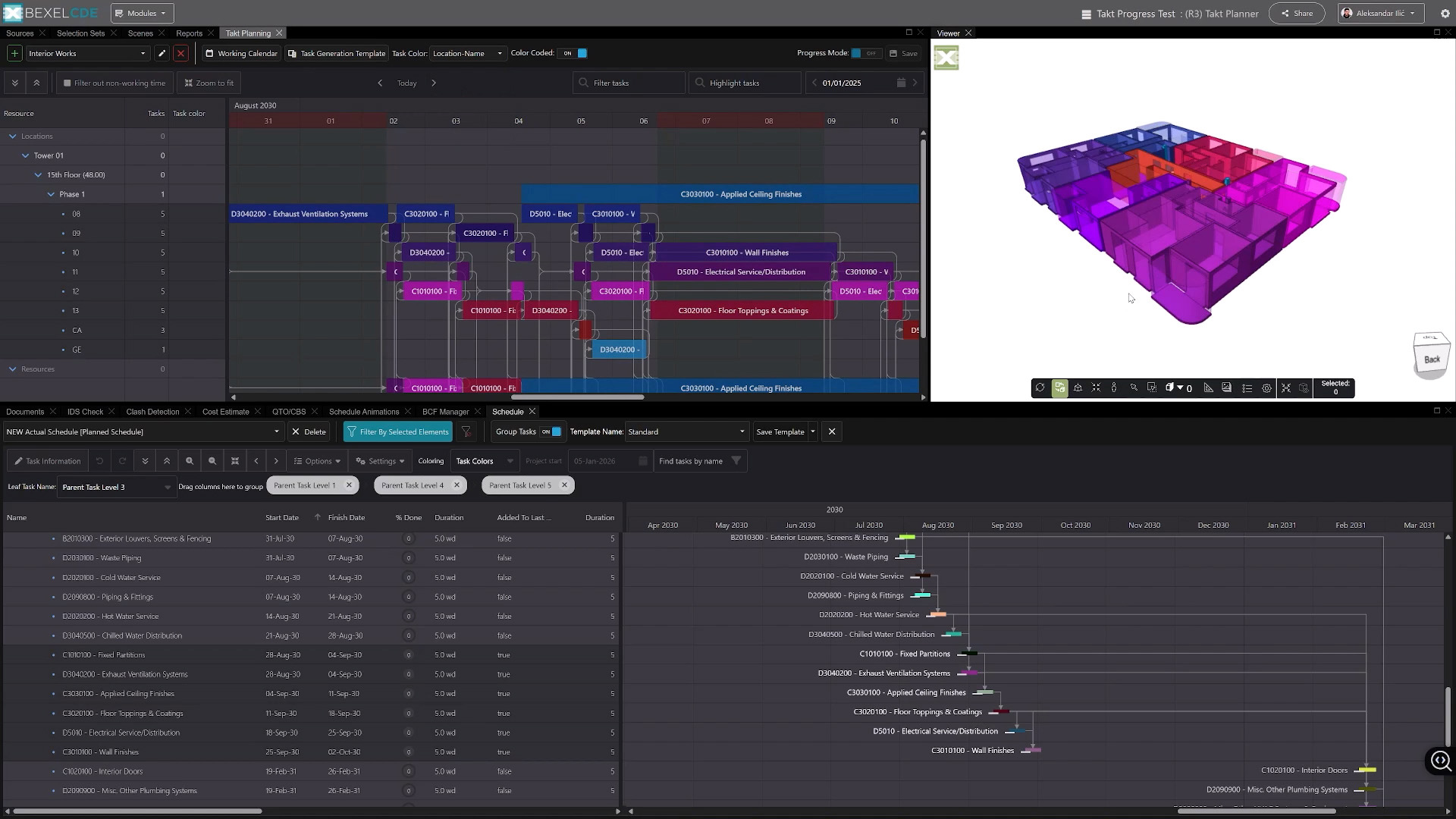
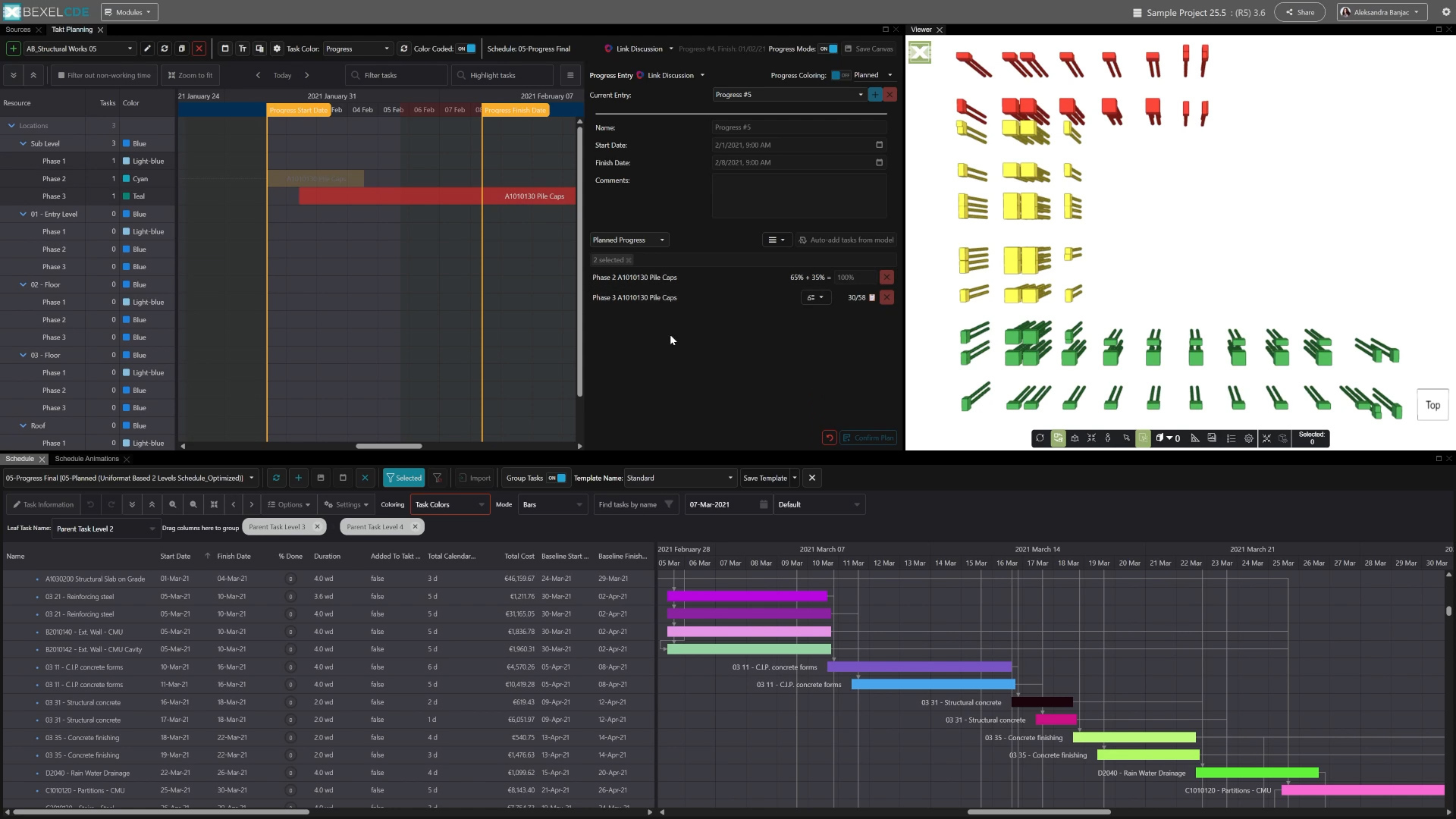
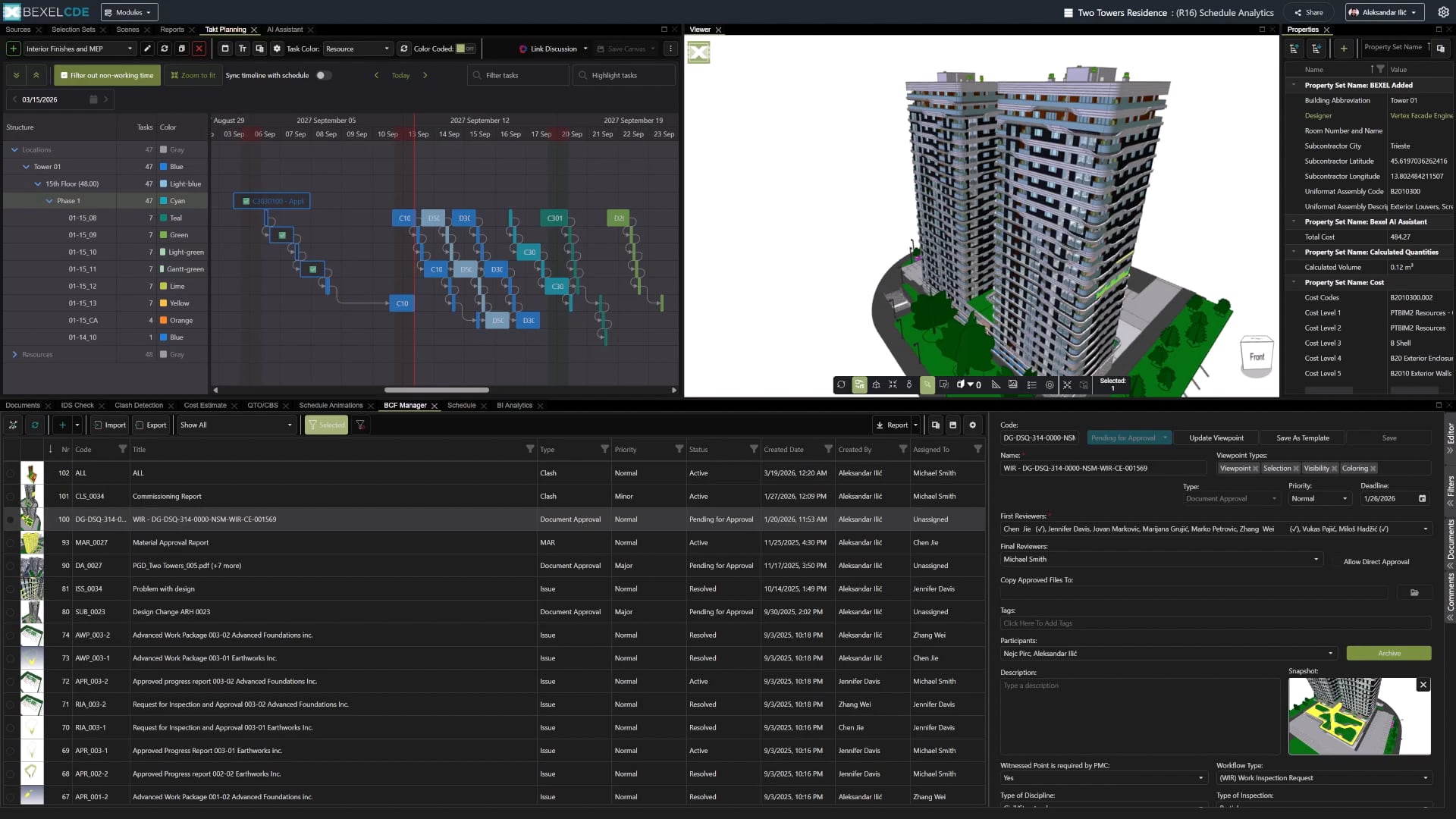
Organize construction flows through zone-based takt planning, enabling a steady and synchronized execution of tasks. Structured planning improves team coordination, optimizes resource use, and supports consistent project progress.

Image

Manage detailed, location-based tactical construction plans fully integrated with your project data for smarter planning and control

Create dedicated Planner Canvases for related groups of work to streamline coordination and boost efficiency

Sub-divide Master Schedule tasks using custom spatial properties, define detailed work sequences, and coordinate subcontractors and construction teams

Color code tasks and model elements by Task Name, Location Zones, assigned Subcontractors or Progress Status

4D/5D SIMULATION
Visualize and Control Project Execution

Visualize and simulate construction processes over time and cost, helping identify scheduling conflicts and inefficiencies before execution. Integrated 4D/5D insights support better planning, coordination, and more reliable project delivery.

Multi-schedule analysis in an integrated 4D/5D environment at the project or specific project part level

Color-coded 4D/5D simulations provide clear insights into critical paths, delays, task timelines, cash flow, budgets, resources, and contractor performance

Simulate construction activities at flexible time intervals (hourly, daily, weekly, monthly, etc.)

Construction simulation management (Cameras, BIM elements opacity, total simulation duration)

Image
PROGRESS TRACKING
Track and Control Project Progress

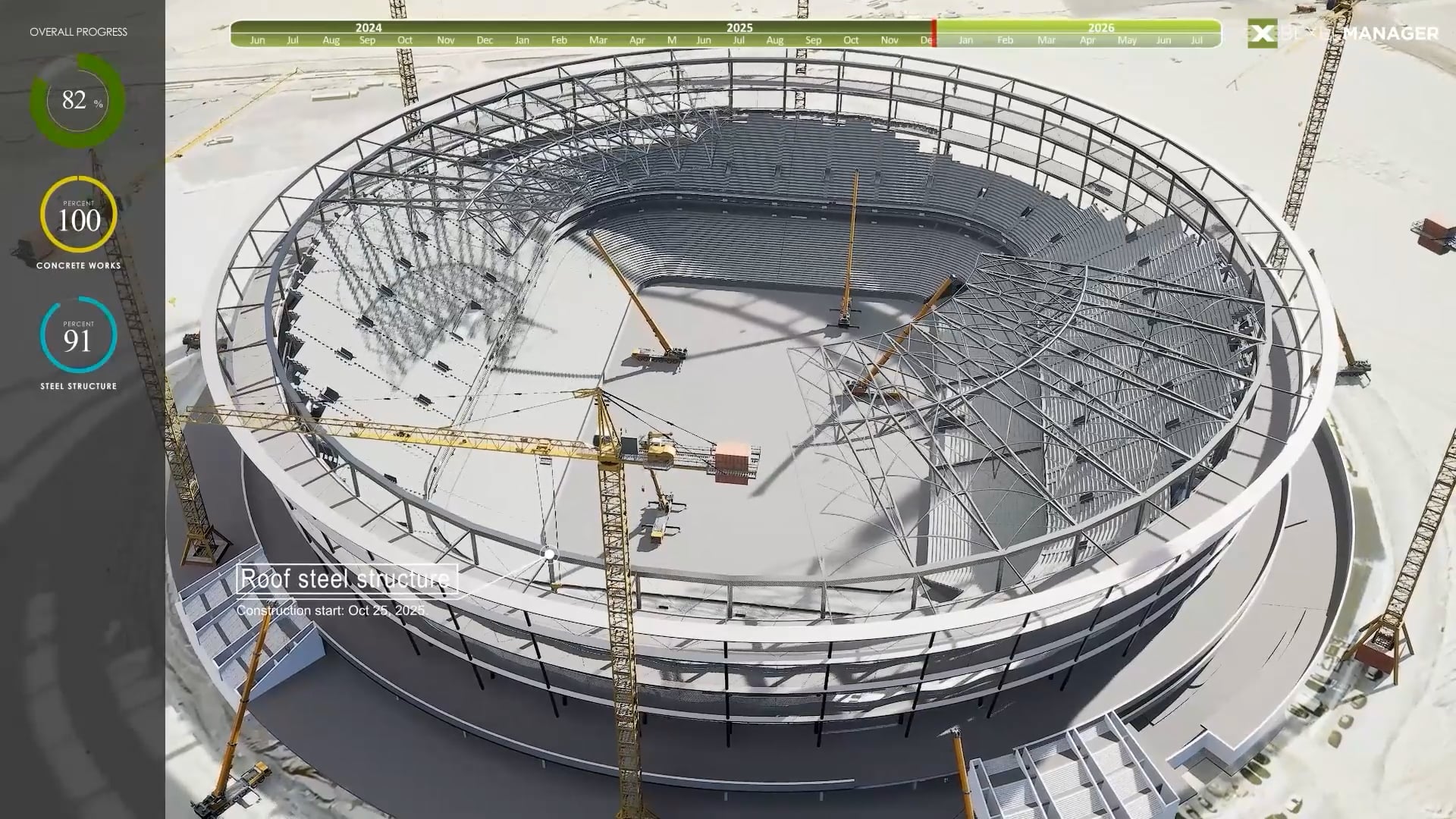
Track and monitor construction progress with precise, location-based updates and visual timelines. Identify delays early, adjust schedules on the fly, and maintain full control over on-site execution. Integrated progress tracking ensures accurate reporting, better coordination, and more reliable project delivery.

Activate Progress Mode to track on-site project execution

Input progress directly by date and task for accurate reporting

Instantly visualize progress updates with automatic color changes in both the timeline and model

Adjust task durations and sequences based on site conditions and project needs

Mark selected elements as completed, or enter a completion percentage for precise, real-time progress monitoring

Image

Bl Analytics dashboards are fully integrated with Takt Planning, providing real-time insights based on progress monitoring

Takt progress tracks each phase of execution using three statuses: Planned, Actual, and Approved, providing a clear overview of advancement and helping teams stay on schedule

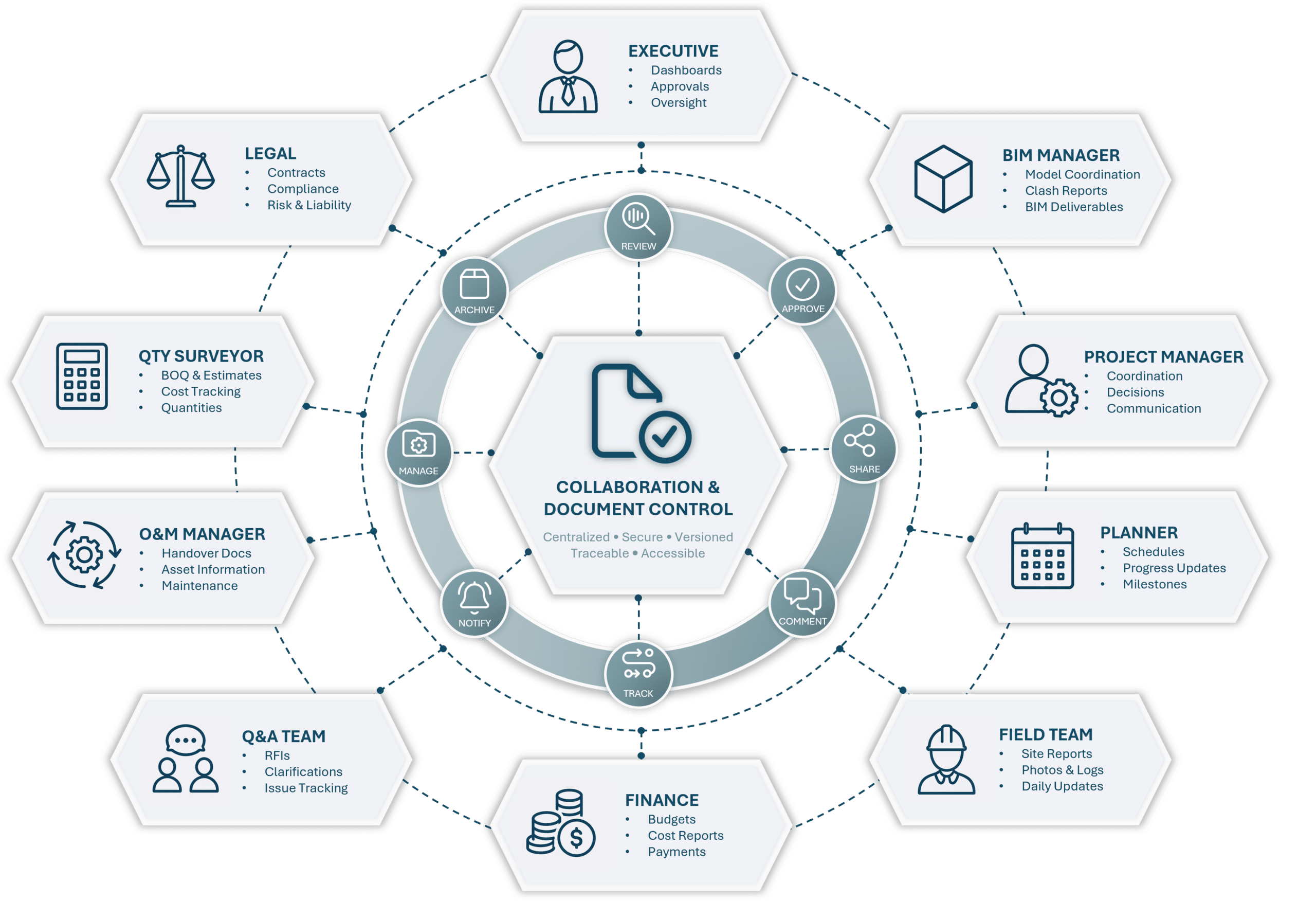
Collaboration & Document Control

Enable seamless collaboration across all project stakeholders by bringing communication, coordination, and document management into one platform. Share information in real time, manage approvals efficiently, and ensure everyone is working with the latest data.Detect clashes early, track costs in real time, and keep all teams aligned. With clear visibility, you can reduce risks, improve efficiency, and deliver projects more accurately.

Image link
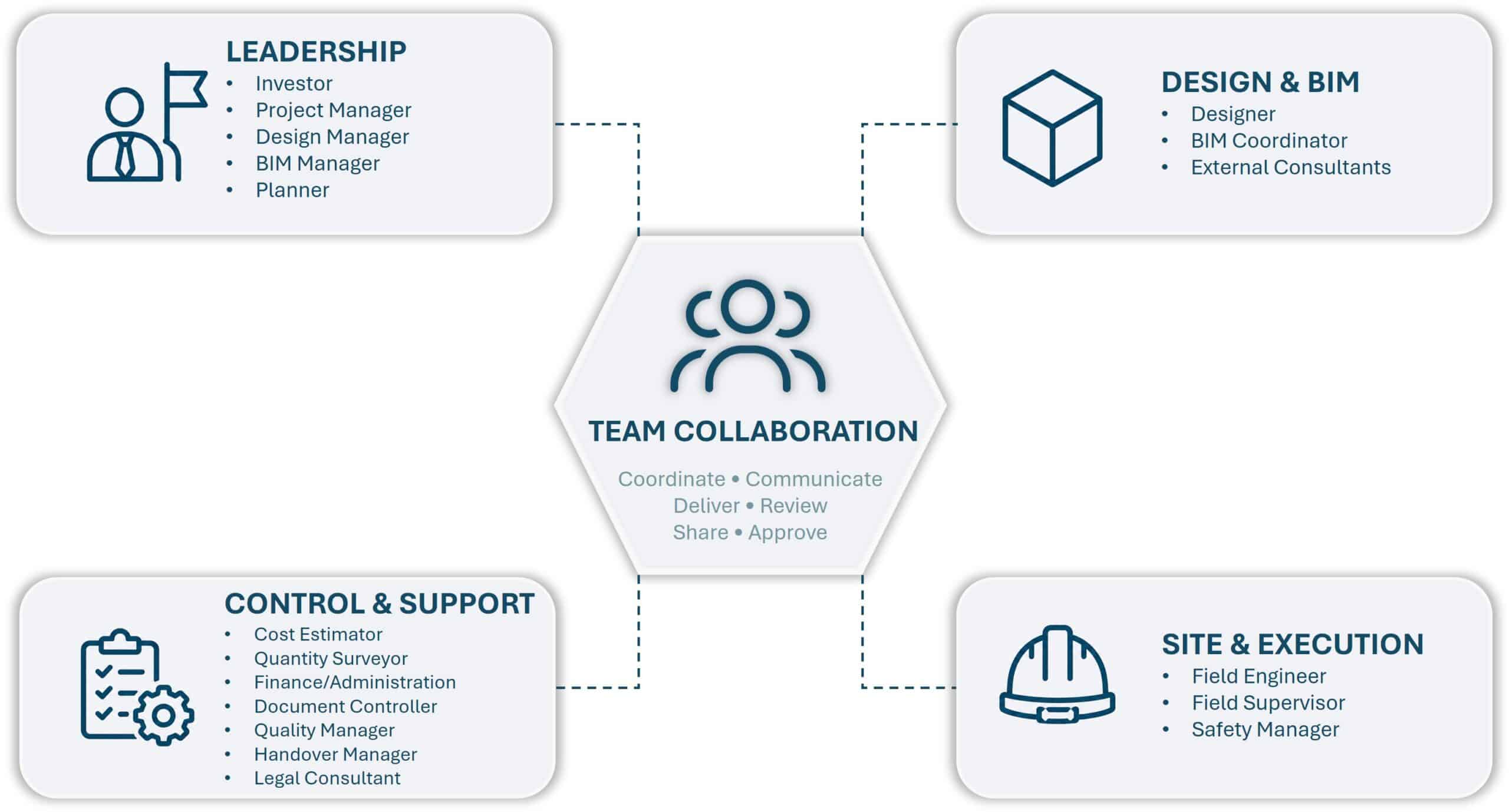
TEAM COLLABORATION
Centralize Communication and Issue Management

Data-driven issue management platform enables easy integration with BIM authoring and management tools. Communication and collaboration of model-based issues, along with user and access rights management, fully comply with the OpenCDE BCF API v3.0 standard. Easily coordinate and manage look-ahead plans, progress entries, tendering packages, clashes, document sets, and other project-related topics, issues, and RFls through a fully integrated BIM solution that connects all BEXEL COE modules.


Create and manage custom issue types

Add custom fields tailored to your project’s specific needs

Use specific checklists to ensure high quality of execution

Generate professional PDF reports with customizable templates

ACTIONS

Approvals

Comments

Communication

Email notifications

Intelligent search

Smart filtering

Issue and document referencing is integrated directly into the communication thread

TOPICS, ISSUES, AND RFIs

Viewpoints

Type

Priority

Milestone

Deadline

Responsible Party

Status

Documents

Tags

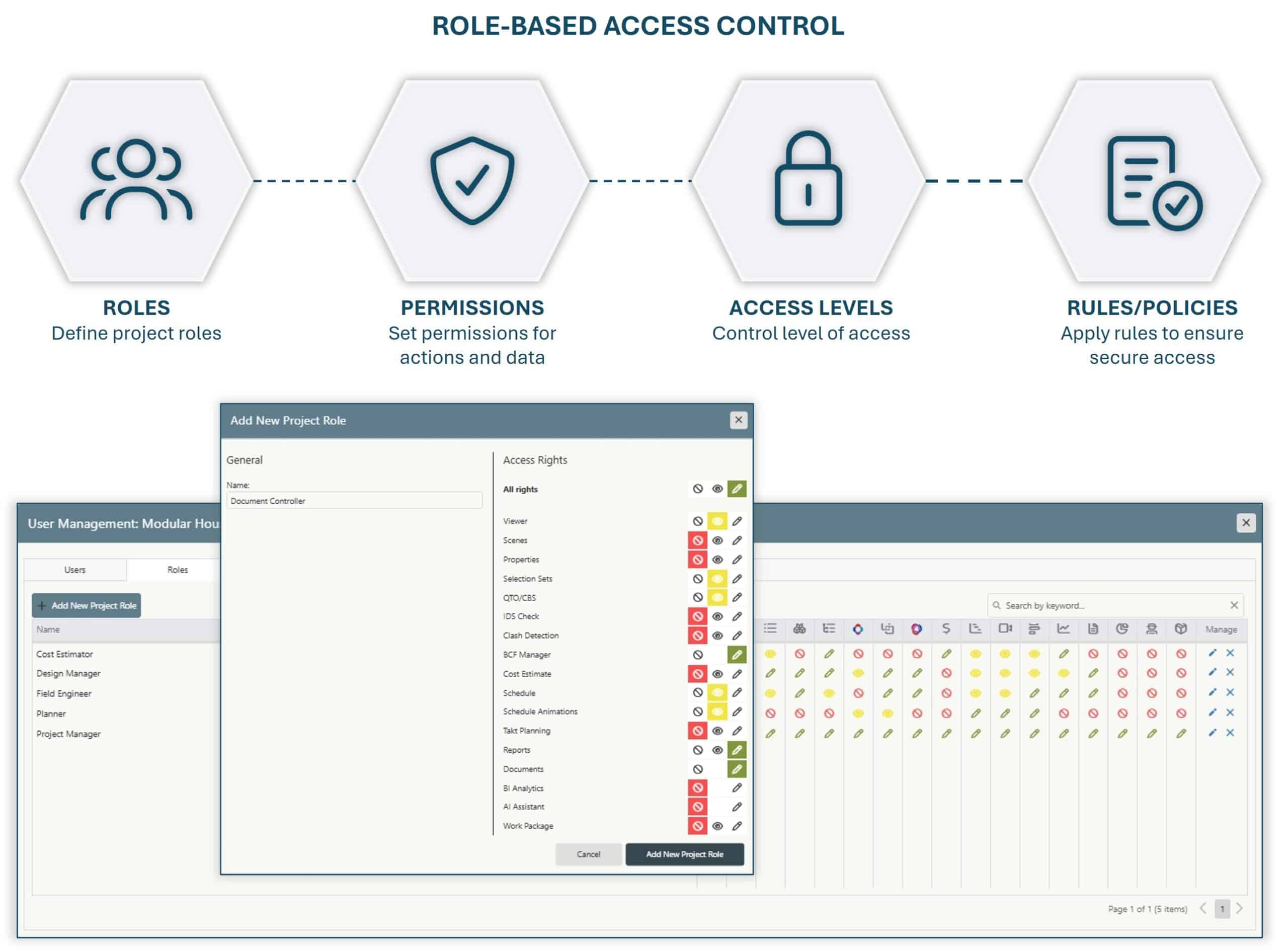
ROLE-BASED ACCESS CONTROL
Secure and Control Project Access

Define and manage user permissions across projects and project versions to ensure controlled access and clear responsibility. Granular permission settings support secure collaboration and help maintain consistency throughout the project lifecycle.

Flexible user access control at the section or module level

Three permission levels - No Access, Read, or Edit - to match every role on the project

Read: provides full visibility without modification rights, ensuring data integrity

No Access: completely restricts visibility to protect sensitive information

Edit: grants complete control to view, modify, add, and delete content as needed

Access rights for issue management and BCF are defined individually for each issue, document, and folder, ensuring precise control and flexibility in managing access across all project elements.

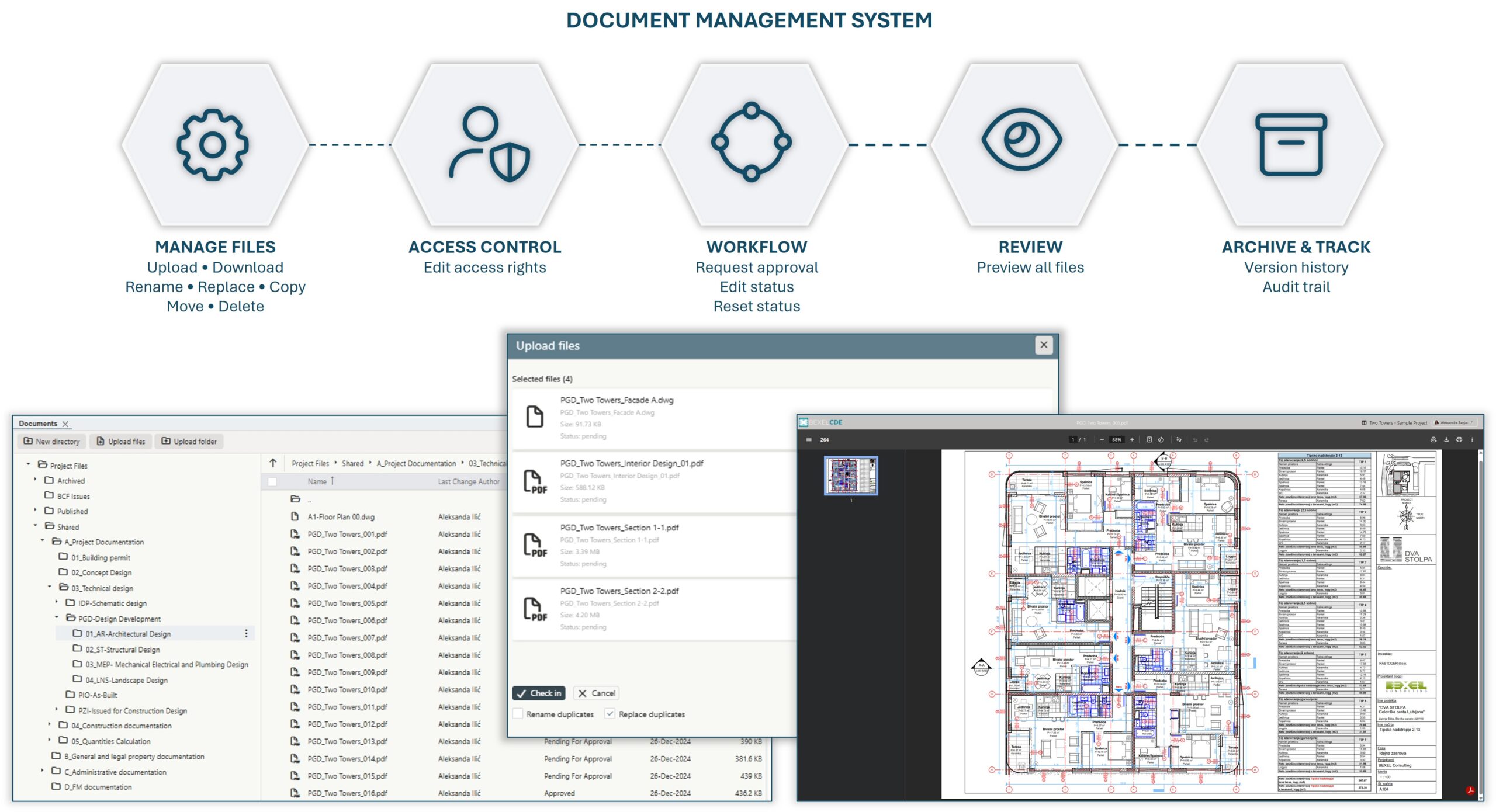
DOCUMENT MANAGEMENT SYSTEM
Organize and Control Project Documentation

A complete document management system with version control and access permissions on folder/ subfolder/ document level. BEXEL Docs is designed for storing and managing all project documents and their various versions integrated with BIM models, within the cloud-based document management system.

Intelligent document linking to BIM elements or groups of elements

Users and access rights management on folder, subfolder, and document level

Version control and document history

Document management (add, replace, update, delete, search, preview, download documents)

Organize documents by folder and subfolder structure

DOCUMENT APPROVAL
Simplify Document Approval Workflows

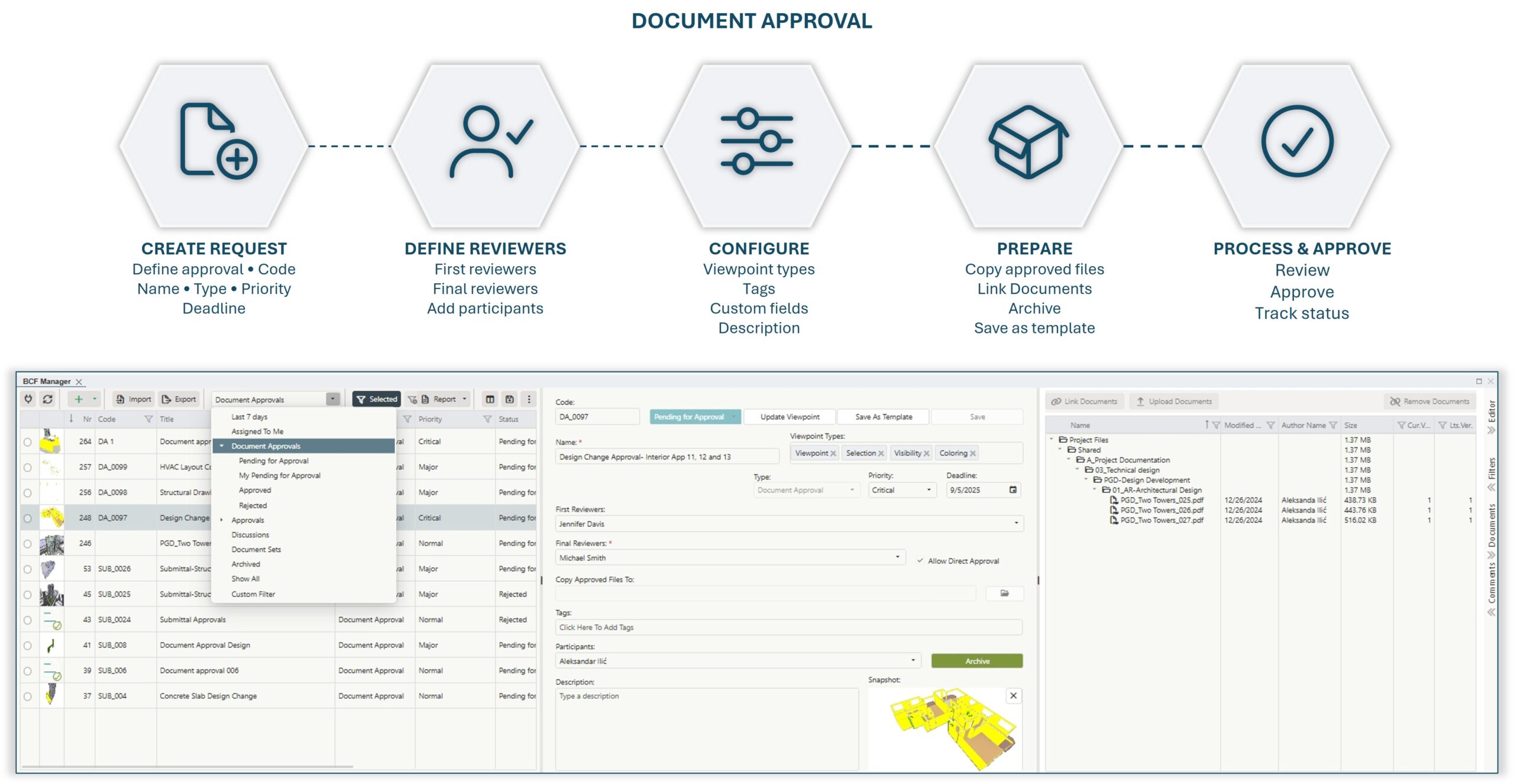
Streamline the process of linking, reviewing, and approving documents while maintaining full control over access rights. A structured workflow ensures transparency, accountability, and efficient collaboration throughout the document lifecycle.

Approve documents in any phase of the process

Support single or multiple reviewers, with direct approval by the final approver

Single-step or multi-step approval process

Email notifications

Add tags, read-only participants and description

Real-time direct communication through the comment section

Copy approved documents to the specified folder

Copy approved documents to the specified folder

Approval workflows can also be applied to processes and decisions not directly tied to documents

Create and manage custom fields

Manage access rights

CHECKLISTS
Standardize Quality Control and Field Verification

Ensure consistency and accountability across your processes by using customizable checklists tailored to your project needs. Define clear sets of questions and verification steps for quality control, site readiness, interim payments, or any other workflow, while maintaining full visibility and traceability.

Create custom checklist templates

Define questions and required inputs for different processes

Assign checklists to responsible team members

Image

Support various response types

Attach photos, documents, and other supporting files

Track completion status with advanced answer-wise built-in analytics

Add comments and notes for additional context

Centralized storage of completed checklists for auditing and reporting

Enable structured data collection across projects

MOBILE APP
Improve Collaboration and Field Coordination

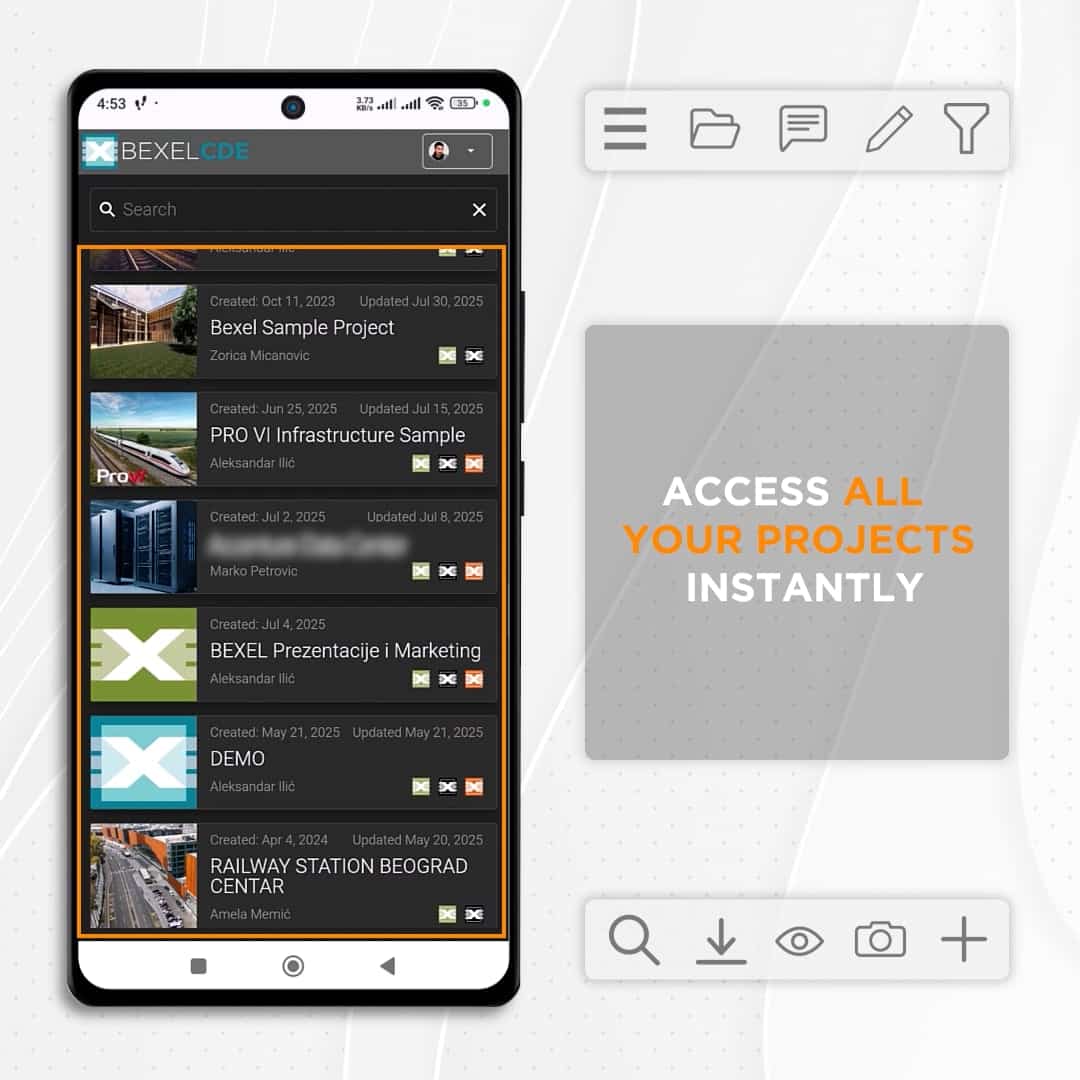
Access and manage project information directly from the field, enabling streamlined communication, faster issue resolution, and efficient collaboration throughout the entire construction process.

Create, track, and update construction issues (BCF) with photos, comments, and status updates directly on-site

Access the latest drawings, specifications, RFIs, and construction documentation anytime from mobile devices

Review, approve, and manage project documents and workflows directly from the field

Image

Monitor project progress and collaborate with teams through centralized issue and document management

Upload site photos, reports, and supporting documentation to maintain a complete and up-to-date construction record

Improve coordination between contractors, consultants, and project teams through real-time access to project data

Analytics & Performance

Unlock the full value of your BIM data with advanced analytics, interactive dashboards, and AI-powered insights. Monitor key metrics in real time, analyze trends, and gain a clear understanding of project performance across all stages. AI-driven tools help identify risks, highlight patterns, and support faster, more informed decision-making.

Image link
AI INSIGHTS
Turn Project Data into AI-Powered Answers

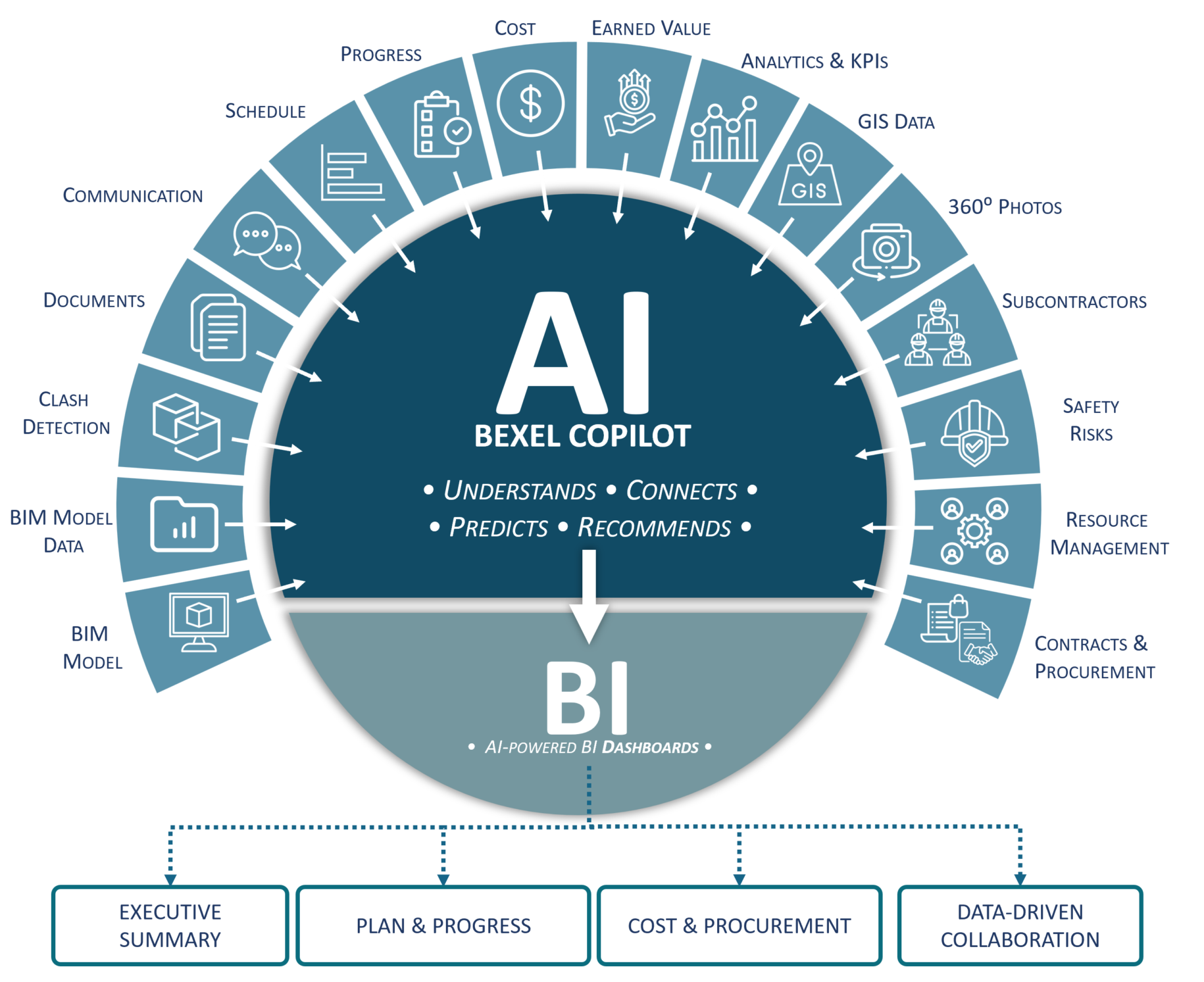
Enable intelligent interaction with your BIM data through an AI-powered assistant. Search across projects, analyze documentation from multiple file formats, and get precise, context-aware answers based on project data and BCF communication—all within a secure, controlled environment.

Unlock insights from BIM project documentation with AI-powered analysis

Search across one or multiple projects for relevant information within BEXEL's Al-powered environment

Access AI-powered insights within a secure, closed environment aligned with defined user permissions

Utilize data from various document formats to deliver accurate responses

Image

Generate answers based on BCF chat communication

Get instant answers from BEXEL environment and based on any integrated dataset such as Primavera, ERP, and HR platforms—all within a secure, protected system

BI ANALYTICS
Turn Project Data into Actionable Insights

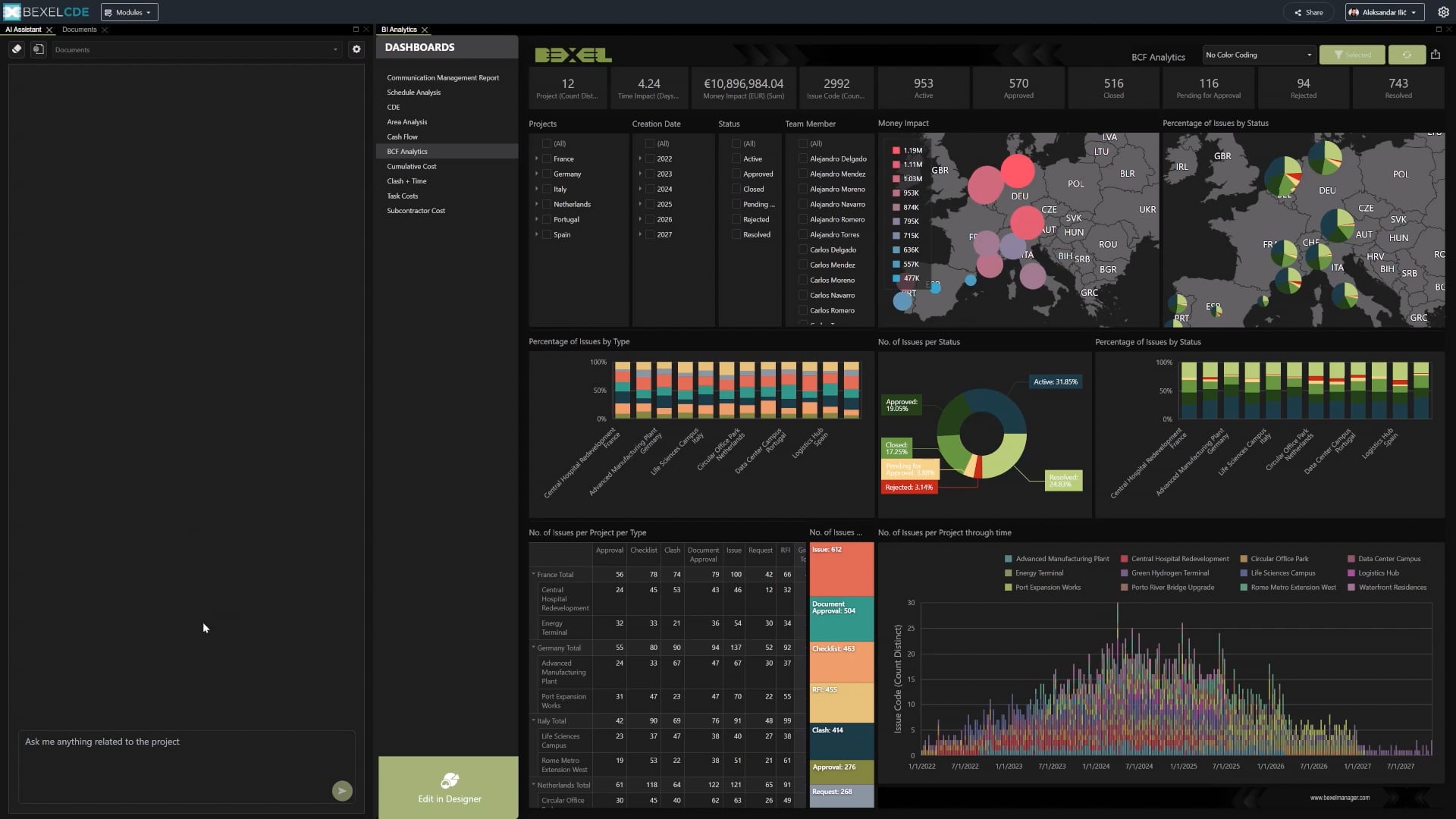
Transform your project data into actionable insights with interactive dashboards within BEXEL CDE. Consolidate, analyze, and visualize data in real time to support informed decision-making, track key performance indicators, and improve overall project performance—all in one centralized platform.Easily coordinate and manage look-ahead plans, progress entries, tendering packages, clashes, document sets, and other project-related topics, issues, and RFls through a fully integrated BIM solution that connects all BEXEL COE modules.
Consolidate all project data in one platform for easy access and better organization

Analyze and interpret project data in real-time to support decision-making and project management

Create customized dashboards to display relevant project insights tailored to your needs

Track key performance indicators (KPls) to ensure the project stays on schedule and within budget

Share interactive dashboards with stakeholders to enable transparent and informed discussions

Generate detailed, data-driven reports for better project tracking and performance evaluation

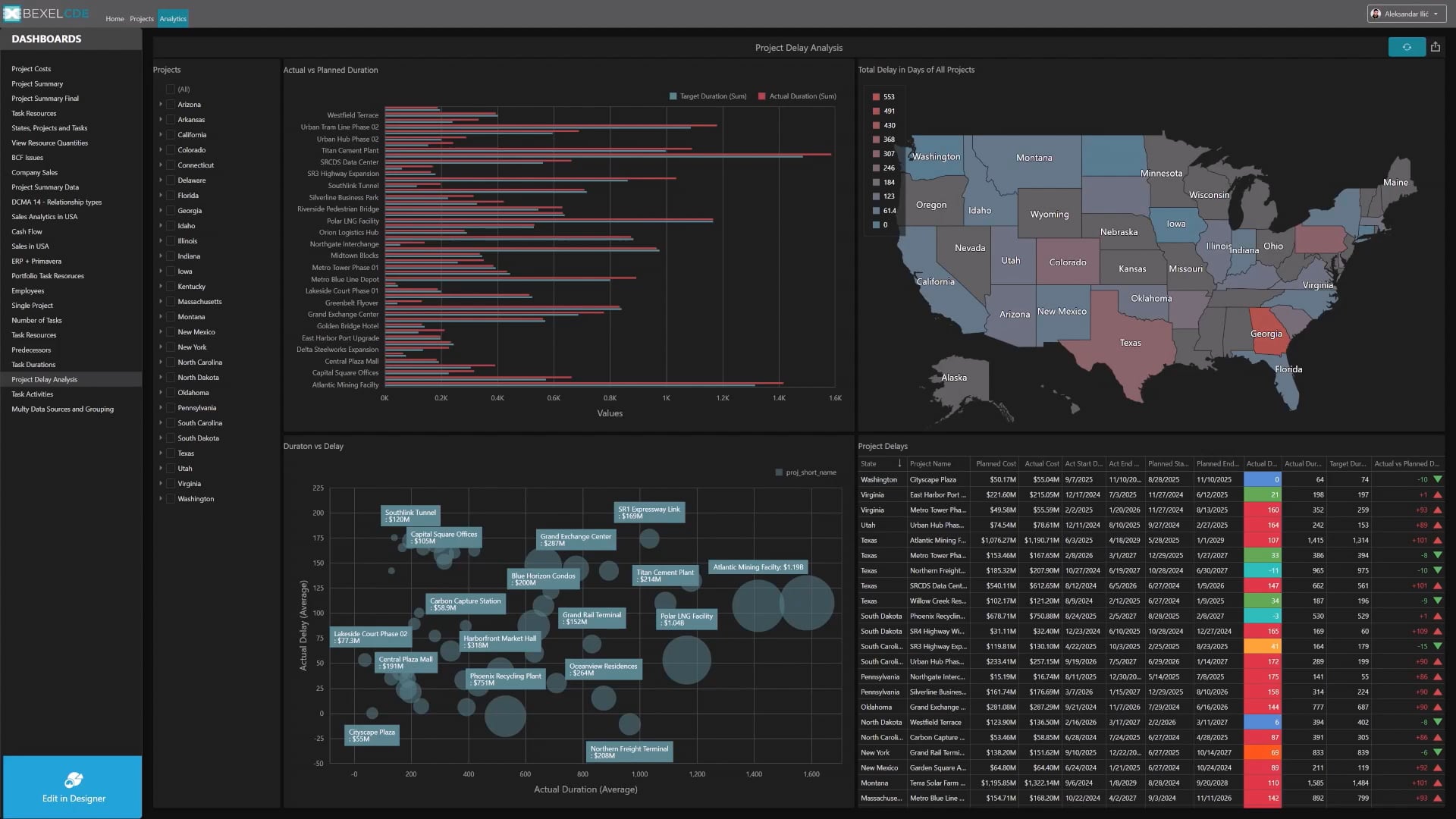
Hundreds of built-in specialized interactive dashboards for Executives, Senior Managers and Engineers

Customizable interactive dashboard adjustment according to specific use case

Easily create interactive dashboards by selecting relevant data domains tailored to your specific needs

Informed decision-making and data-driven project management

Image

Executive Dashboard

Earned Value Analysis (EVA)

Cost Performance Index (CPI)

Schedule Performance Index (SPI)

5D Estimation

Cash Flow

Cost Comparison

4D Planning

Flowline (LOB) Diagrams

Schedule Integrity Check (DCMA)

Look-Ahead Plan-Weekly/Monthly Activities

Schedule Delay Analysis

Delay Recovery Plan Analysis

Task Efficiency Analysis

Task Status

Task Total Float Analysis

4D/5D Progress Monitoring

Planned vs. Actual

Progress Monitoring

Monthly Payment Certification

Earned Value Analysis

Model Explorer

Model Data Verification

Clash Detection

Quantity Takeoff

Area Analysis

BCF Topics

PORTFOLIO KPIs
Measure and Optimize Portfolio Performance

Gain full control over project performance with advanced KPI analysis across multiple projects and versions in a single environment. Monitor, compare, and evaluate key metrics through flexible dashboards, enabling consistent quality control, deeper insights, and more informed decision-making across your entire project portfolio.

Analyze KPls on multi-version and multi-project levels in a single environment. Cross-project analytics ensure the quality control of the project through detailed KPI analysis.

Cross-project analysis management on the multi-project and multi-version level

Manage KPI report types and chart styles

Filter data by various parameters

Export data to different file formats

Image

Access rights management

Project and project versions management

Operations & Lifecycle

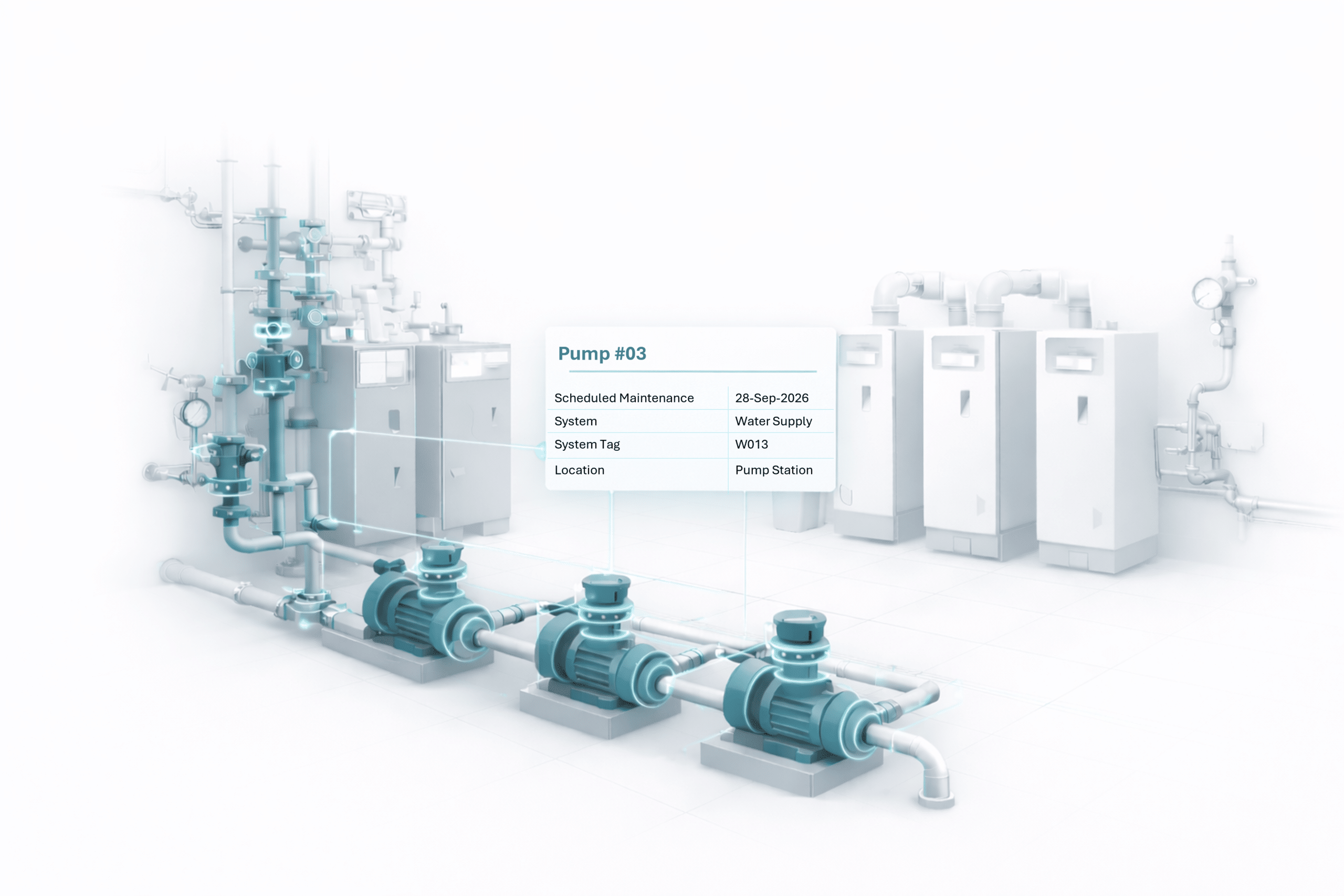
Extend the value of BIM beyond design and construction by supporting operations and lifecycle management in a single platform. Access structured data, manage assets, and track maintenance activities with full visibility and control.

AI-driven tools help identify risks, highlight patterns, and support faster, more informed decision-making.AI-driven tools help identify risks, highlight patterns, and support faster, more informed decision-making.AI-driven tools help identify risks, highlight patterns, and support faster, more informed decision-making.

Image link
FACILITY MAINTENANCE
Turn Project Data into AI-Powered Answers

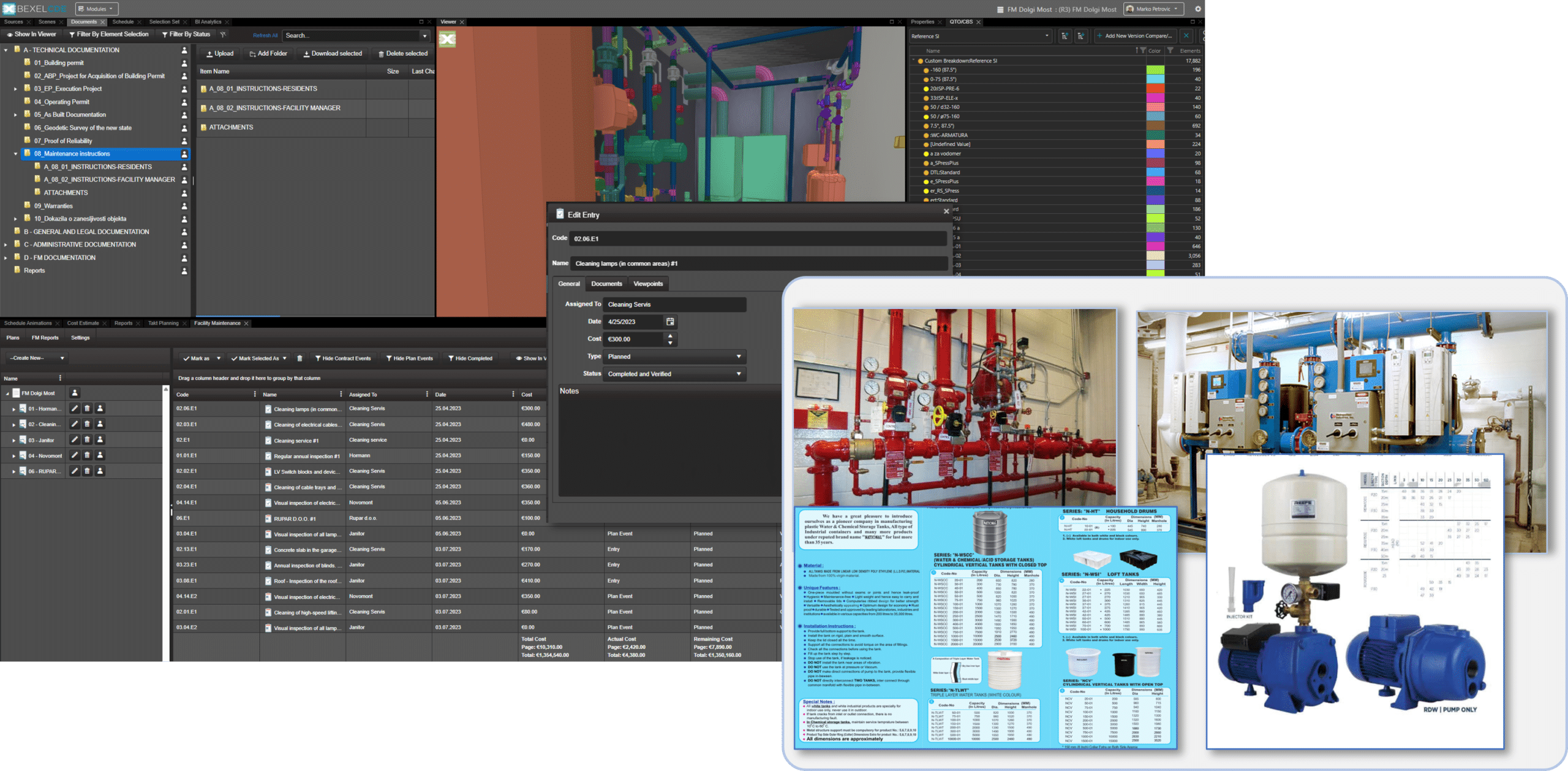
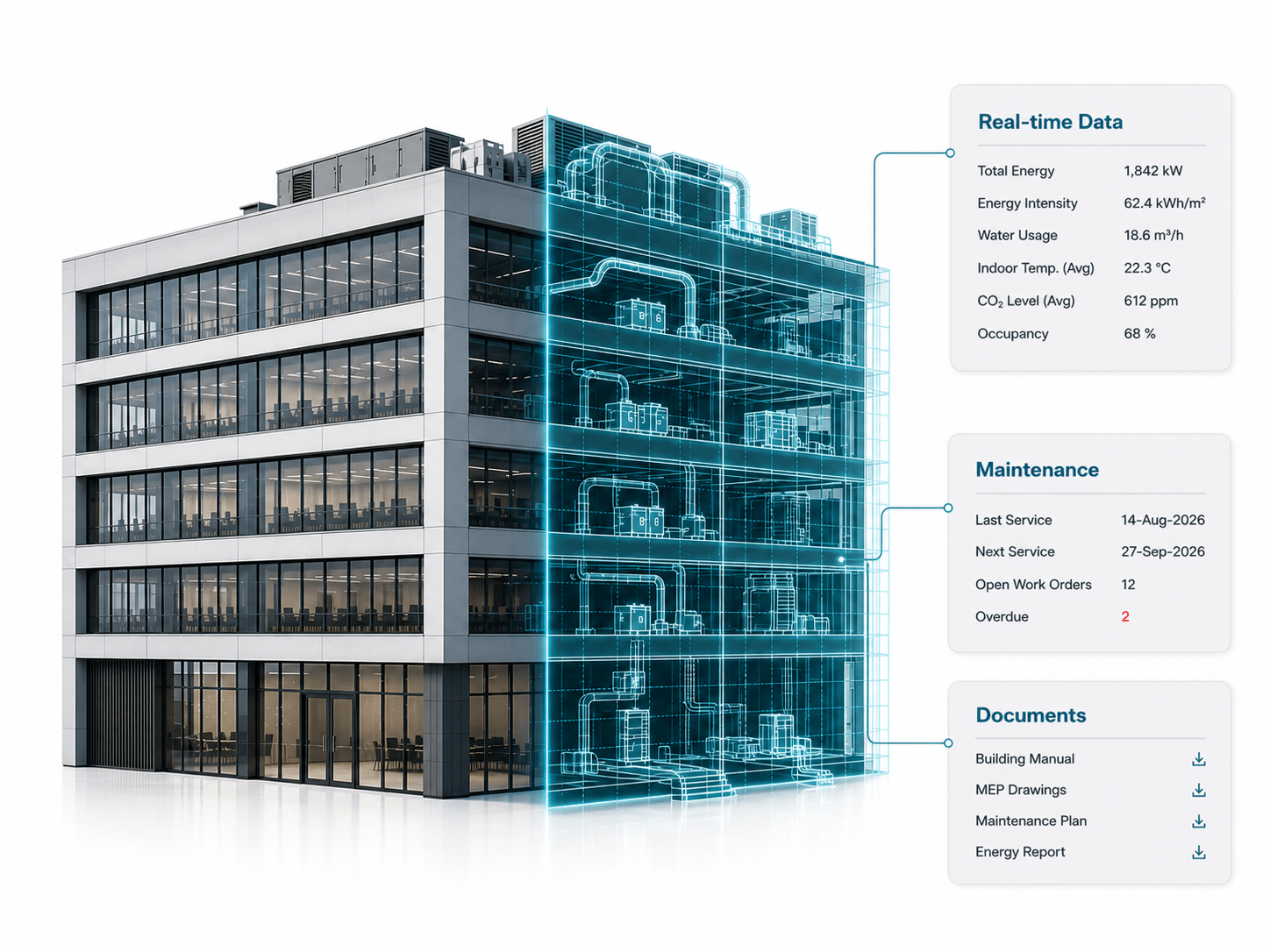
A comprehensive solution for managing and maintaining buildings and their assets throughout their lifecycle. BEXEL FM allows the connection of maintenance tasks and data directly to the BIM model ensuring efficient and accurate facility management.

Streamline the management of building assets, reduce time waste, and enhance the overall efficiency and safety of a facility by ensuring that all maintenance data is connected to the BIM model.

The integration of Point Cloud data improves facility maintenance by providing detailed insights.

Intelligent maintenance plans linking to BIM element or group of elements

Access rights management on FM Contract or Maintenance Plan Level

FM contracts, activities and entries (assignments, calendars, costs, FM plan range, recurrence patterns) management

FM tasks email notifications

Filter FM plans and entries by element selection

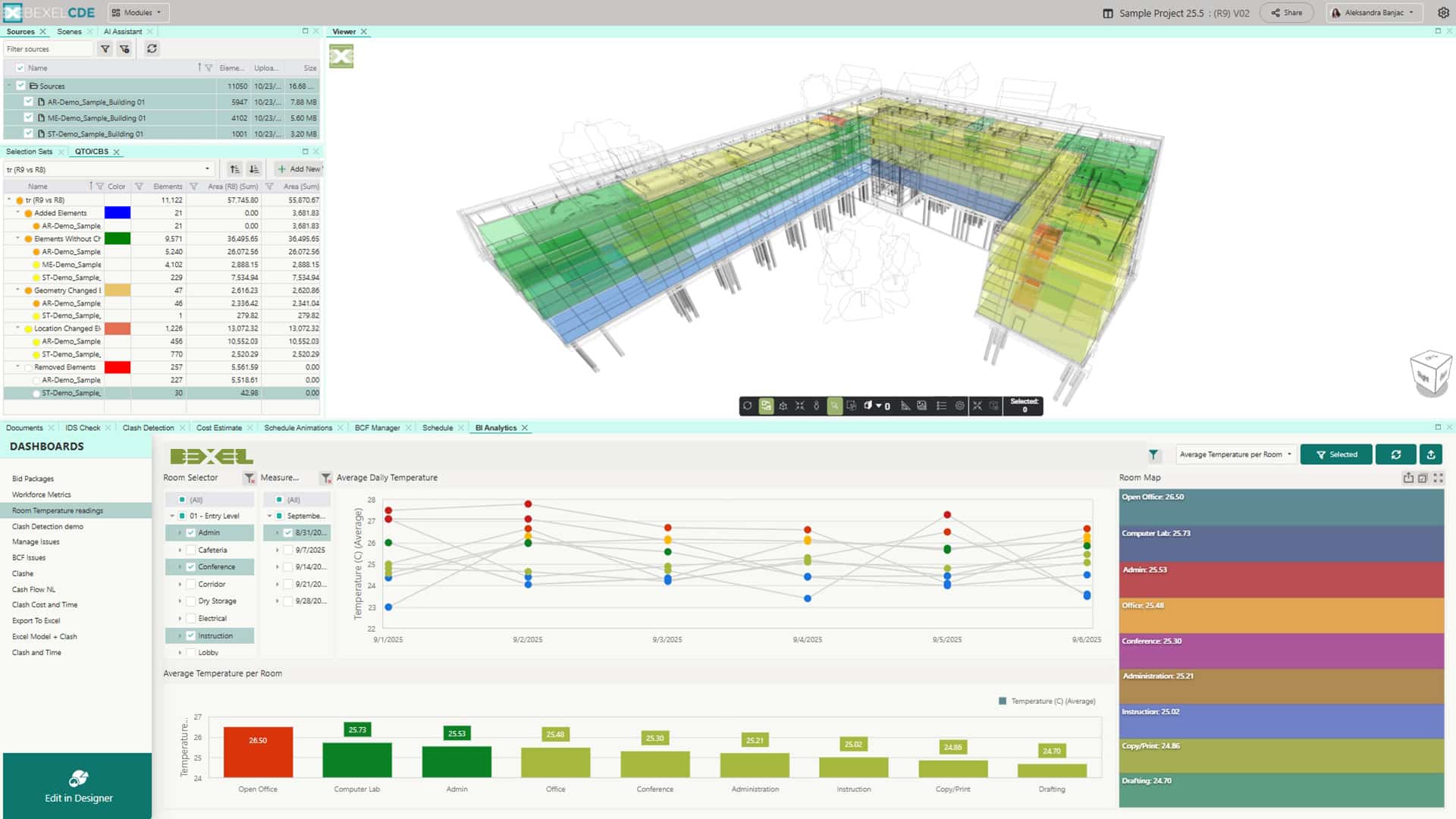
Bl Analytics dashboards provide clear insights into costs and task performance

BIM & SENSORS
Connect BIM with Real-World Sensor Data

Integration of BIM with sensor data enables automatic ingestion of real-time data from on-site sensors, such as temperature, humidity, vibration, and equipment status. Continuous data streams provide accurate monitoring of site conditions, support timely decision-making, and improve control over construction processes and asset performance throughout the project lifecycle

DIGITAL TWIN
Turn Your Building into a Smart Asset

Transform your building into a smart, data-driven asset during the operation phase. BEXEL CDE integrates sensor data with model-based visualization, enabling real-time monitoring through intuitive color coding and advanced BI analytics - helping you optimize performance, reduce operational costs, and make informed decisions throughout the building lifecycle.

MOBILE APP
Simplify Facility Maintenance and Asset Management

Access and manage asset data directly from the field in real time, enabling faster maintenance workflows, improved issue resolution, and more informed operational decision-making throughout the facility lifecycle.

View and access asset-related documentation, including O&M manuals, warranties, and technical specifications

Create, track, and update maintenance issues (BCF) with photos and comments directly from the field

Monitor issue status and assign tasks to internal teams or external contractors for timely resolution

Navigate across projects and assets to quickly find relevant on-site information

Upload reports, photos, and supporting documentation to maintain a complete maintenance history

Improve operational efficiency through centralized access to live asset and maintenance data

Image
The ultimate resource hub of expert knowledge

2

Navigation

On the top you can see the main navigation

In the bottom right corner you can ask for support any time

If you want to close this guide, just click on the X